
I built this tool because I was getting frustrated by having to clone repos of libraries/APIs I'm using to be able to add them as context to the Cursor IDE (so that Cursor could use the most recent patterns). I would've preferred to just proxy GitHub search, but that seems to be limited to public repos via Copilot chat, and not available via graphql. This repo hosts a remote MCP server to facilitate a RAG query against an indexed GitHub repo. Indexing is performed via Cloudflare workflows, you can access this MCP server with the following ~/.cursor/mcp.json configuration:

MCP Configuration
{
	"mcpServers": {
		"github-semantic-search-server": {
			"type": "streamable-http",
			"url": "https://github-search.lokeel.com/mcp",
			"headers": {
				"GITHUB_TOKEN": "<YOUR_TOKEN>"
			}
		}
	}
}
Once configured you'll need to direct your agent to use the tool and provide an @owner and repository name for effective tool use.
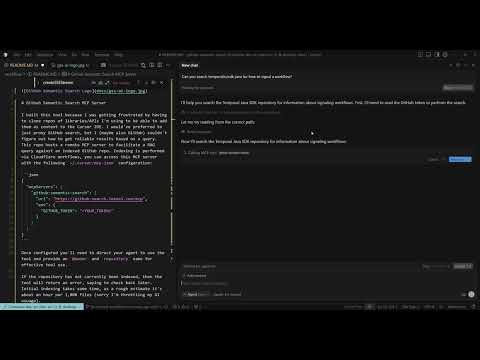
If the repository has not currently been indexed, then the tool will return an error, saying to check back later. Initial indexing takes some time, as a rough estimate it's about an hour per 1,000 files (sorry I'm throttling my AI usuage).
Yes. If you're comfortable using gitingest for private repo's then this should be no less secure, as the tool relies on a github access token to run.
I would advise for private repo's with sensitive IP to fork this repo and deploy your own instance.
Fork this repo and add a secret for CLOUDFLARE_API_TOKEN. See @cloudflare/wrangler-action for more info.
Set up the following Cloudflare resources and update github-semantic-search/workflow/wrangler.toml as needed:
- D1 Database to track workflow executions and embeddings:
npx wrangler d1 create prod-d1-gh-sem-search- Key Value Store for workflow state:
npx wrangler kv namespace create WORKFLOW_STATE-
R2 Bucket to host code split into manageable token sizes for embeddings via Cloudflare Dashboard.
-
Vectorize (database optimized for k-nearest-neighbor queries):
Main Index:
npx wrangler vectorize create github-semantic-search-index --dimensions=384 --metric=cosineThe following metadata indexes are also required since this is a single-tenanted instance for any repo:
npx wrangler vectorize create-metadata-index github-semantic-search-index --property-name=oid --type=string
npx wrangler vectorize create-metadata-index github-semantic-search-index --property-name=branch --type=string
npx wrangler vectorize create-metadata-index github-semantic-search-index --property-name=owner --type=string
npx wrangler vectorize create-metadata-index github-semantic-search-index --property-name=repo --type=string
npx wrangler vectorize create-metadata-index github-semantic-search-index --property-name=path --type=string-
AI - This should be auto-added, just ensure there's a payment method connected to the account.
-
Deploy to Cloudflare:
npx wrangler deploy- Add Secret Variable
RSA_PRIVATE_KEY- this is used to encrypt sensitive data at rest. You can generate a key from any JS console via this code (copy the output string into the variable input):
crypto.subtle
	.generateKey(
		{
			name: 'RSA-OAEP',
			modulusLength: 2048,
			publicExponent: new Uint8Array([1, 0, 1]),
			hash: 'SHA-256',
		},
		true,
		['encrypt', 'decrypt']
	)
	.then((k) => crypto.subtle.exportKey('jwk', k.privateKey).then((out) => console.log(out)));
[!NOTE] > To Do
- Better error handling for cleaning up storage + resources
- Tune tokenization process to see if overlapping documents results in higher quality search results
- Ability to roll private key to not break in-process workflows
- Add ability to specify
branchor GitHubtagto search via specific version of a repository
Running npm run dev will start a local instance of this repo that should do everything that's possible in Cloudflare prod.
Caution
--experimental-vectorize-bind-to-prodflag is set when running in dev mode so any vectors generated locally will be saved in the remote vectorize db- All
AIAPI calls locally useneurons
Where possible, tests try to make use of integration API calls to Cloudflare resources.
If you encounter an issue or notice something, please add it to https://github.com/edelauna/github-semantic-search-mcp/issues
This was a pretty cool project to work through to better understand MCPs, and although Cloudflare instrumentation and observability are pretty rough when trying to debug workflows (or I'm just spoiled with temporal and jvms), I was curious to try CF Workflows out, which kept throwing me new error limits when deployed to prod :(