Live Demo | Keet | NPM Package
parakeet.js is browser speech-to-text for NVIDIA Parakeet ONNX models. It runs fully client-side using onnxruntime-web with WebGPU or WASM execution.
npm i parakeet.js
# or
yarn add parakeet.js- Use WebGPU when available for best throughput.
- Use WASM when WebGPU is not available or for compatibility-first setups.
import { fromHub } from 'parakeet.js';

const model = await fromHub('parakeet-tdt-0.6b-v3', {
  backend: 'webgpu-hybrid',
  encoderQuant: 'fp32',
  decoderQuant: 'int8',
});

// `file` should be a File (for example from <input type="file">)
const pcm = await getMono16kPcm(file); // returns mono Float32Array at 16 kHz
const result = await model.transcribe(pcm, 16000, {
  returnTimestamps: true,
  returnConfidences: true,
});

console.log(result.utterance_text);
Use your existing app audio pipeline for getMono16kPcm(file) (Web Audio API, ffmpeg, server-side decode, etc.). A complete browser example is available in examples/demo/src/App.jsx (transcribeFile flow).
fromHub(repoIdOrModelKey, options): easiest path. Accepts model keys likeparakeet-tdt-0.6b-v3or full repo IDs.fromUrls(cfg): explicit URL wiring when you host assets yourself.
import { fromUrls } from 'parakeet.js';

const model = await fromUrls({
  encoderUrl: 'https://huggingface.co/ysdede/parakeet-tdt-0.6b-v3-onnx/resolve/main/encoder-model.onnx',
  decoderUrl: 'https://huggingface.co/ysdede/parakeet-tdt-0.6b-v3-onnx/resolve/main/decoder_joint-model.int8.onnx',
  tokenizerUrl: 'https://huggingface.co/ysdede/parakeet-tdt-0.6b-v3-onnx/resolve/main/vocab.txt',
  // Only needed if you choose preprocessorBackend: 'onnx'
  preprocessorUrl: 'https://huggingface.co/ysdede/parakeet-tdt-0.6b-v3-onnx/resolve/main/nemo128.onnx',
  backend: 'webgpu-hybrid',
  preprocessorBackend: 'js',
});- Backends are selected with
backend:webgpu(alias accepted)wasm- advanced:
webgpu-hybrid,webgpu-strict
- In WebGPU modes, the encoder prefers WebGPU but decoder session runs on WASM (hybrid execution).
- In
getParakeetModel/fromHub, if backend starts withwebgpuandencoderQuantisint8, encoder quantization is forced tofp32. - Encoder/decoder quantization supports
int8,fp32, andfp16. - FP16 requires FP16 ONNX artifacts (for example
encoder-model.fp16.onnx). - ONNX Runtime Web does not convert FP32 model files into FP16 at load time.
getParakeetModel/fromHubare strict about requested quantization: they do not auto-switchfp16tofp32.- If requested FP16 artifacts are missing or fail to load, API calls throw actionable errors so callers can choose a different quantization explicitly.
- Decoder runs on WASM in WebGPU modes; if decoder FP16 is unsupported in your runtime, choose
decoderQuant: 'int8'ordecoderQuant: 'fp32'explicitly. preprocessorBackendisjs(default) oronnx.
parakeet.js now uses the pr74 real-FFT path in the default JS preprocessor (preprocessorBackend: 'js').
This keeps feature compatibility with the previous implementation while reducing mel extraction cost.
| Item | Previous JS path | New JS path (default) |
|---|---|---|
| FFT strategy | Full N=512 complex FFT per frame |
Real-FFT via one N/2=256 complex FFT + spectrum reconstruction (pr74) |
| Expected speed | Baseline | Faster mel stage (commonly around ~1.5x in local mel benchmarks) |
| Output behavior | NeMo-compatible normalized log-mel | Same behavior and ONNX-reference accuracy thresholds preserved |
| API changes | N/A | None (JsPreprocessor / IncrementalMelProcessor unchanged) |
If you need exact ONNX preprocessor execution instead of JS mel, set preprocessorBackend: 'onnx'.
Before using FP16 examples: ensure FP16 artifacts exist in the target repo and your browser/runtime supports FP16 execution (WebGPU FP16 path).
Load known FP16 model key:
import { fromHub } from 'parakeet.js';

const model = await fromHub('parakeet-tdt-0.6b-v3', {
  backend: 'webgpu-hybrid',
  encoderQuant: 'fp16',
  decoderQuant: 'fp16',
});
Use explicit FP16 URLs:
import { fromUrls } from 'parakeet.js';

const model = await fromUrls({
  encoderUrl: 'https://huggingface.co/ysdede/parakeet-tdt-0.6b-v3-onnx/resolve/main/encoder-model.fp16.onnx',
  decoderUrl: 'https://huggingface.co/ysdede/parakeet-tdt-0.6b-v3-onnx/resolve/main/decoder_joint-model.fp16.onnx',
  tokenizerUrl: 'https://huggingface.co/ysdede/parakeet-tdt-0.6b-v3-onnx/resolve/main/vocab.txt',
  preprocessorBackend: 'js',
  backend: 'webgpu-hybrid',
});The demo flow in examples/demo/src/App.jsx is:
- Load a model with public APIs (
fromHub(...)for hub loading, orfromUrls(...)for explicit URLs). - Decode uploaded audio with
AudioContext({ sampleRate: 16000 })+decodeAudioData(...). - Convert decoded audio to mono 16 kHz PCM (
Float32Array) by averaging channels when needed. - Call
model.transcribe(pcm, 16000, options)and renderutterance_text.
Reference code:
Appcomponent inexamples/demo/src/App.jsx(loadModel/transcribeFileflow)
model.transcribe(...) returns a TranscribeResult with this shape:
type TranscribeResult = {
  utterance_text: string;
  words: Array<{
    text: string;
    start_time: number;
    end_time: number;
    confidence?: number;
  }>;
  tokens?: Array<{
    token: string;
    raw_token?: string;
    is_word_start?: boolean;
    start_time?: number;
    end_time?: number;
    confidence?: number;
  }>;
  confidence_scores?: {
    token?: number[] | null;
    token_avg?: number | null;
    word?: number[] | null;
    word_avg?: number | null;
    frame: number[] | null;
    frame_avg: number | null;
    overall_log_prob: number | null;
  };
  metrics?: {
    preprocess_ms: number;
    encode_ms: number;
    decode_ms: number;
    tokenize_ms: number;
    total_ms: number;
    rtf: number;
    mel_cache?: { cached_frames: number; new_frames: number };
  } | null;
  is_final: boolean;
  tokenIds?: number[];
  frameIndices?: number[];
  logProbs?: number[];
  tdtSteps?: number[];
};- Enable
returnTimestampsfor meaningfulstart_time/end_time. - Enable
returnConfidencesfor per-token/per-word confidence fields. - Advanced alignment/debug outputs are opt-in:
returnTokenIds,returnFrameIndices,returnLogProbs,returnTdtSteps.
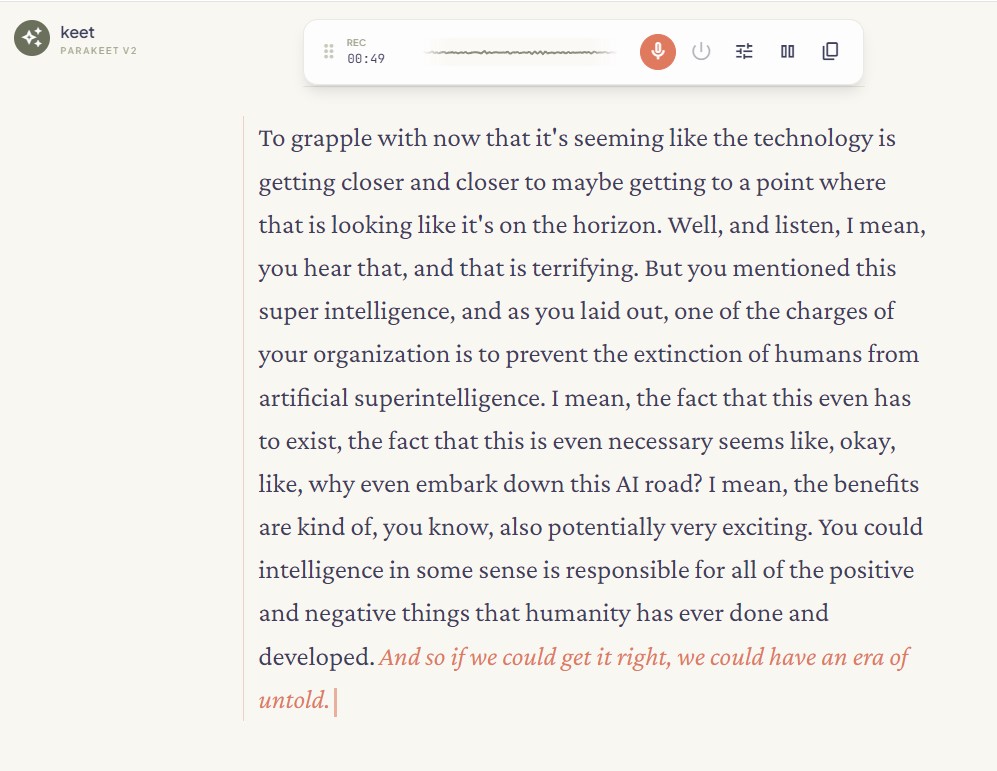
Keet is a reference real-time app built on parakeet.js (repo).
- For contiguous chunk streams, Keet uses
createStreamingTranscriber(...). - Keet currently defaults to v4 utterance-based merging (
UtteranceBasedMerger) with cursor/windowed chunk processing.
- Published API docs: https://ysdede.github.io/parakeet.js/api/
- Generate locally:
npm run docs:apiMIT
- istupakov/onnx-asr for the reference implementation and model tooling foundations.