Subagent Monitor for OpenCode.
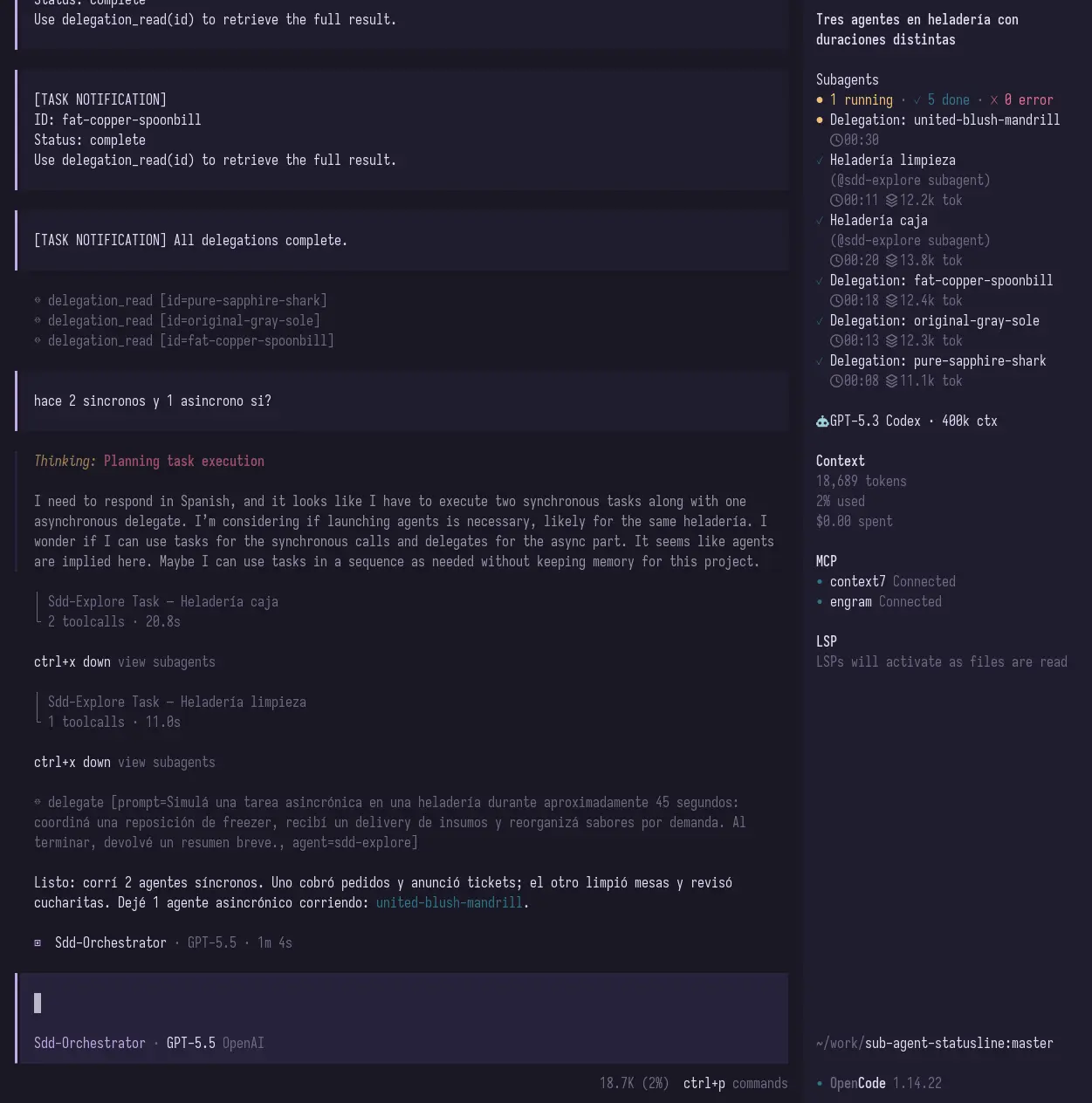
See what your subagents are doing without losing track of them: running, done, failed, elapsed time, and token/context usage when OpenCode exposes it.
This package works as a TUI sidebar plugin for OpenCode.
When you delegate work to subagents, they can disappear into the background. That is powerful, but it also makes it easy to lose visibility:
- Is the review agent still running?
- Did the test agent finish?
- Which child session failed?
- How much context did a subagent use?
opencode-subagent-statusline adds a compact Subagent Monitor inside OpenCode so you can keep that information visible while you work.
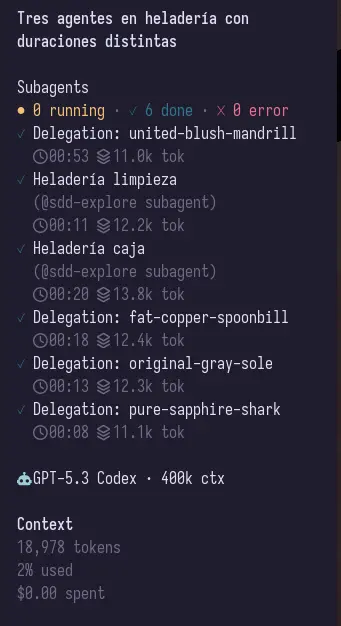
Focused sidebar view:
Add the plugin to your OpenCode TUI config:
{
  "$schema": "https://opencode.ai/tui.json",
  "plugin": ["opencode-subagent-statusline"]
}
Your TUI config usually lives at:
~/.config/opencode/tui.jsonRestart OpenCode after editing the file.
The TUI plugin adds a sidebar section that shows:
- running subagents
- completed subagents
- failed subagents
- elapsed time
- token/context usage when available
It also adds a small home/footer summary when there is active subagent activity.
Run Subagents: Focus sidebar list from the OpenCode command palette, or press
Alt+B, to focus the subagent sidebar list without using the mouse. List
navigation shortcuts are handled only while the sidebar list is focused.
| Shortcut | Action |
|---|---|
Alt+B |
Toggle focus between the subagent sidebar list and the prompt. |
j / ArrowDown |
Move selection to the next visible subagent. |
k / ArrowUp |
Move selection to the previous visible subagent. |
Enter |
Open the selected subagent session. |
h / ArrowLeft |
Collapse the subagent section. |
l / ArrowRight |
Expand the subagent section. |
Esc |
Leave list focus mode and return to the prompt. |
Opening a selected session is a no-op when there is no visible or navigable subagent.
Install dependencies:
pnpm installBuild the plugin:
pnpm buildTest the local TUI build by pointing OpenCode directly at dist/tui.js:
{
  "$schema": "https://opencode.ai/tui.json",
  "plugin": [
    "/absolute/path/to/sub-agent-statusline/dist/tui.js"
  ]
}This project ships the OpenCode TUI sidebar plugin from src/tui.tsx.
The TUI bundle is built with tsup and esbuild-plugin-solid in Solid universal mode for OpenTUI compatibility.
Package entrypoints:
opencode-subagent-statusline          -> TUI plugin
opencode-subagent-statusline/tui      -> TUI plugin
Useful commands:
pnpm build
pnpm typecheck
pnpm test
pnpm test:watch
pnpm test:coverage
pnpm pack --dry-runAutomated tests use Vitest with @vitest/coverage-v8:
pnpm test
pnpm test:watch
pnpm test:coverage
pnpm typecheck
For the testing strategy, file map, examples, and current TUI/e2e boundaries, see
docs/testing.md.
Check OpenCode logs:
grep -n "subagent-statusline\|failed to load tui plugin" ~/.local/share/opencode/log/*.logThen restart OpenCode after changing tui.json.
OpenCode may be using a cached package. Try clearing the cached package directory under:
~/.cache/opencode/packages/Then restart OpenCode.
OpenCode event payloads can vary by version and by event type. The plugin shows token/context usage when it is available and safely omits it when it is not.
MIT