What it can do:
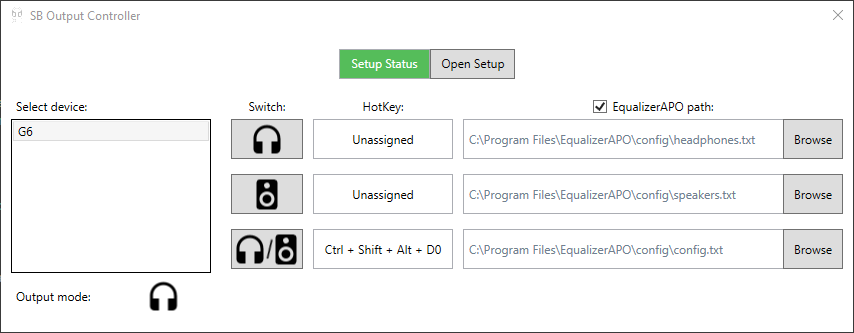
- Assign global hotkeys to switch between sound outputs
- Keep your EqualizerAPO config.txt up to date depending on the sound output
- Run on windows startup
- Install Sound Blaster Command
- Download latest version of SBOutputController from https://github.com/heftyy/sb-output-controller/releases
- After starting the application you will be asked to go through the initial setup
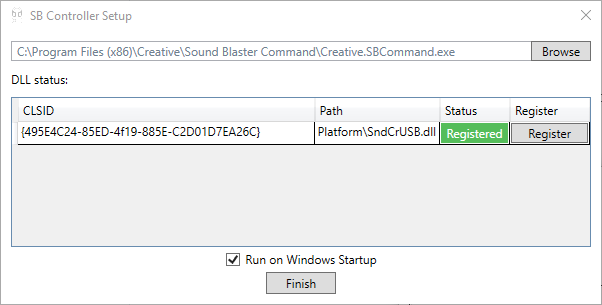
- Browse to the directory where Sound Blaster Command is installed and find Creative.SBCommand.exe (SBOutputController uses the .dlls that are installed with Sound Blaster Command to do the actual output switching and monitoring which output is currently active)
- Register SndCrUSB.DLL by clicking the Register button in the setup window. This will require admin privileges to run the windows utility regsvr32 that adds the dll to the registery. This is the easiest way I found to make my application recognize that dll.
- Click finish in the setup window.
- Assign hotkeys.
- (Optional) Enable the EqualizerAPO checkbox and browse for config files.
- Press the hotkey :)