A comprehensive audio, image, video, CSV, Parquet and JSONL viewer extension for VSCode and Cursor.

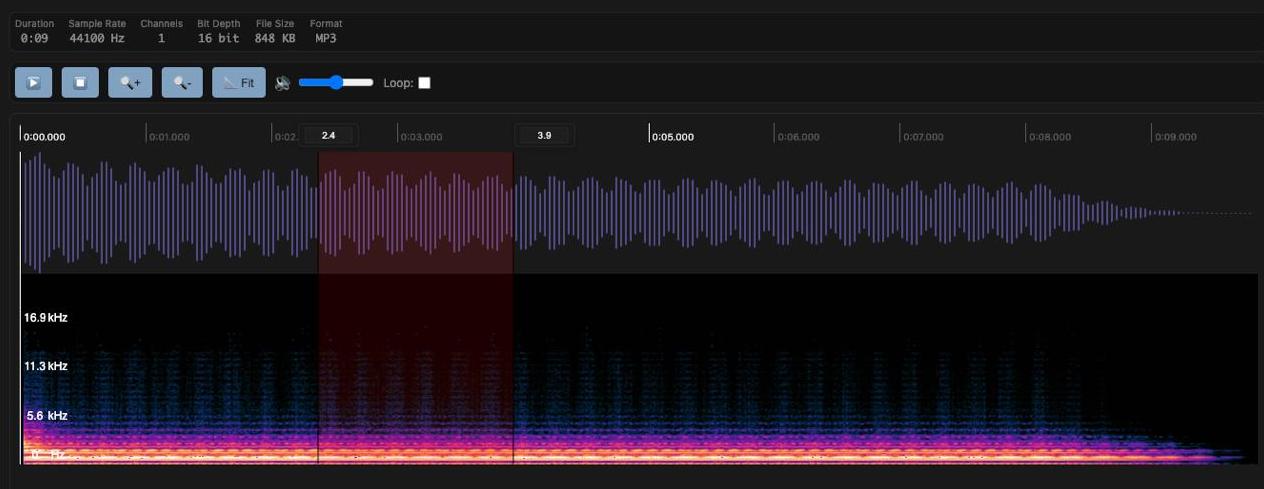
- Waveform Visualization: Real-time audio waveform display
- Spectrogram: Frequency analysis with spectrogram view
- Region Selection: Set start/end times for specific regions
- Loop Playback: Repeat playback of selected regions
- Volume Control: Real-time volume adjustment
- Playback Speed: Multiple playback speed options
- Audio Information: Duration, sample rate, channels, bit depth, file size, format display
- MP3, WAV, OGG, FLAC, AAC, M4A
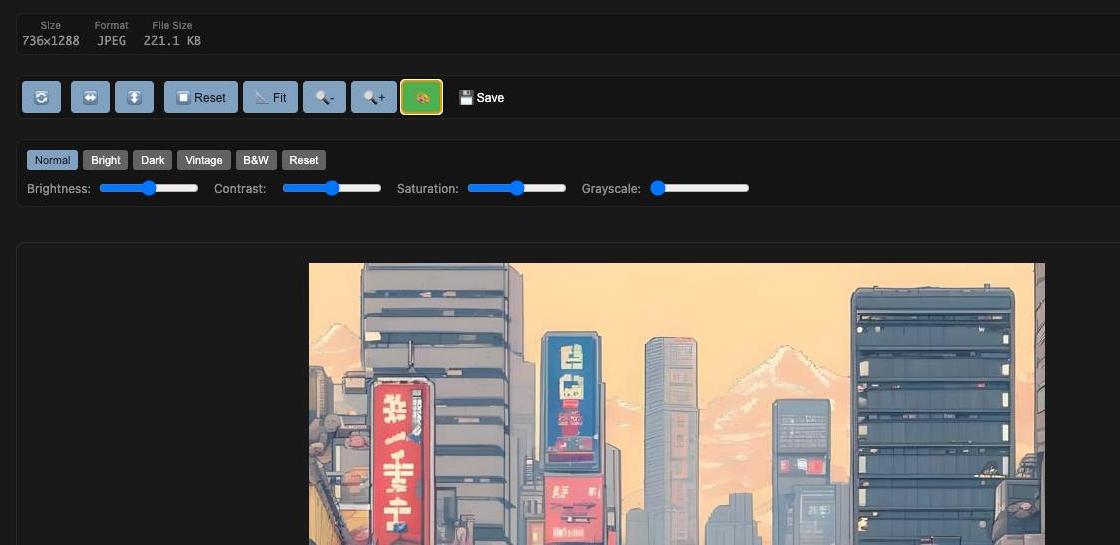
- Zoom Controls: 10% ~ 500% zoom in/out
- Rotation: 90-degree left/right rotation
- Flip: Horizontal/vertical flip
- Fit to Screen: Automatic screen size fitting
- Image Filters: Brightness, contrast, saturation, grayscale adjustments
- Filter Presets: Normal, Bright, Dark, Vintage, B&W presets
- Save Functionality: Save filtered images to workspace
- Keyboard Shortcuts: Quick operation shortcuts
- Image Information: Resolution, format, and file size information display
- JPG, JPEG, PNG, GIF, BMP, WebP, SVG
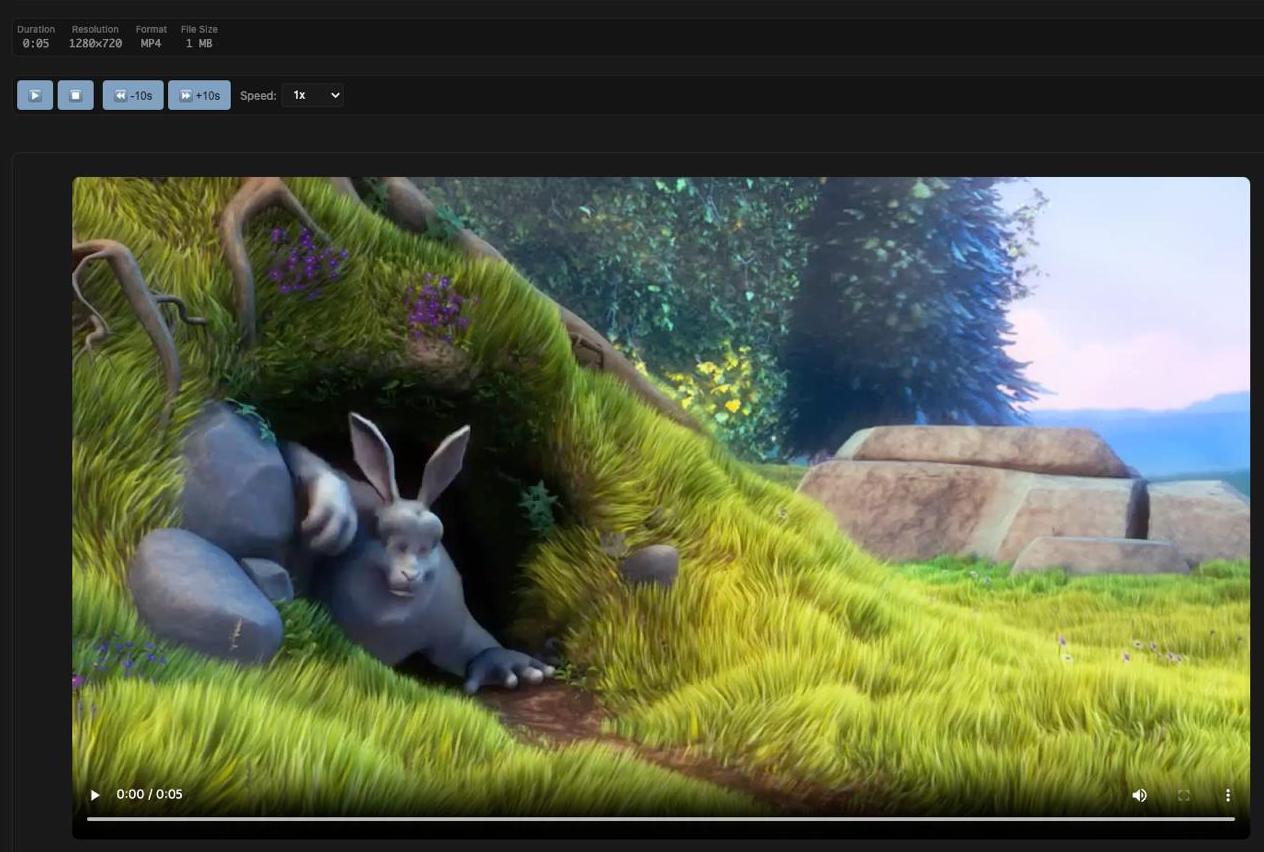
- Playback Controls: Play/pause/stop
- Loop Regions: Set start/end times and loop playback
- Playback Speed: 0.25x ~ 4x playback speed control
- Skip Controls: 10-second forward/backward skip
- Volume Control: Real-time volume adjustment
- Keyboard Shortcuts: Spacebar, arrow keys, etc.
- Video Information: Resolution, duration, and file size display
- MP4, AVI, MOV, WMV, FLV, WebM, MKV
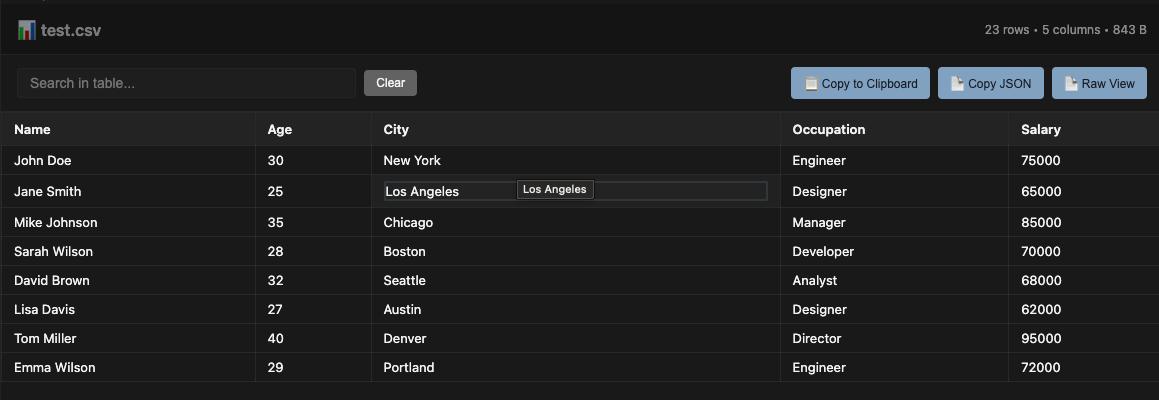
- Table Display: Clean, sortable table view of CSV data
- Search & Filter: Real-time search across all columns
- Column Sorting: Click headers to sort by any column (numeric/text aware)
- Pagination: Handle large datasets with page navigation
- Copy to Clipboard: Copy filtered data to clipboard (tab-separated format)
- Statistics View: Display detailed file and data statistics
- Keyboard Shortcuts: Ctrl+F for search, Ctrl+C for copy
- File Information: Row count, column count, and file size display
- Responsive Design: Works on different screen sizes
- CSV (Comma-Separated Values)
- TSV (Tab-Separated Values)
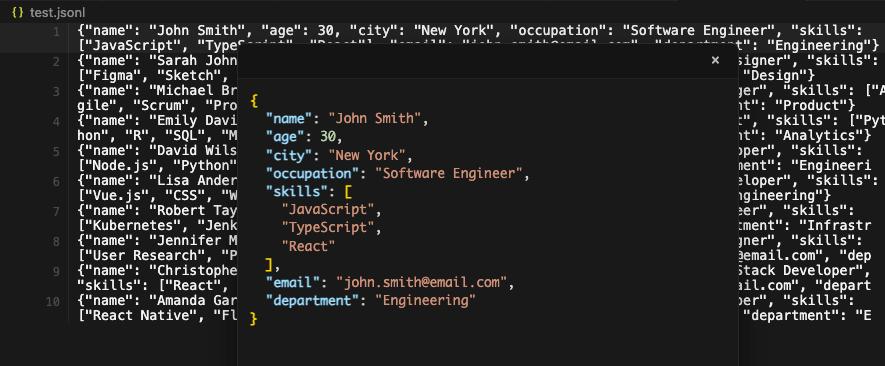
- Line-by-Line Editing: Direct inline editing of JSON lines with syntax validation
- Hover Popup: JSON popup display on line hover with formatted syntax highlighting
- Click-to-Edit Popup: Click popup content to edit JSON directly in formatted view
- Real-time Validation: Instant JSON validation with visual feedback (valid/invalid indicators)
- Data Synchronization: Seamless sync between popup edits and original lines
- Syntax Highlighting: Color-coded JSON syntax for better readability
- Error Handling: Clear error messages for invalid JSON format
- JSONL (JSON Lines) - Each line contains a valid JSON object

- Table Display: Clean, table view of Parquet data
- Search & Filter: Real-time search across all columns
- Column Sorting: Click headers to sort by any column (numeric/text aware)
- Pagination: Handle large datasets with page navigation
- Copy to Clipboard: Copy filtered data to clipboard (tab-separated format)
- Keyboard Shortcuts: Ctrl+F for search, Ctrl+C for copy
- File Information: Row count, column count, and file size display
- Responsive Design: Works on different screen sizes
Marketplaces:
- VSCode Marketplace - Official VSCode Marketplace
- Open VSX Registry - Open Source VSX Registry
If you are using jetbrains ide, check out this repository
-
Install Dependencies
npm install
-
Compile TypeScript
npm run compile
-
Package Extension
npm run vscode:prepublish
MIT License
If you encounter any issues or have feature requests, please contact us through GitHub Issues.
- Large file handling optimization needed
-
Audio/Video/Image Files:
- Maximum file size limit: 50MB per file
- Recommended file size: < 50MB for optimal performance
- Audio files are loaded as Base64 for WebView compatibility
-
Text-based Files (CSV, JSONL, Parquet):
- Maximum file size limit: 500MB per file
- Recommended file size: < 200MB for optimal performance
- Large files may take time to load initially
- Memory usage scales with file size
- File Size Restrictions:
- Files ≥ 150MB: Cannot be opened. Clear error message will be displayed.
- Files 50MB - 150MB: Only the first 10,000 rows are displayed with a warning message showing total row count.
- Files < 50MB: All rows are displayed without any limitations.
- Row Limit: For files between 50MB and 150MB, only the first 10,000 rows are loaded for display to prevent memory issues
- Memory Considerations:
- Parquet files are converted to JSON format for display, which can significantly increase memory usage
- Large files may take time to load initially
- For best performance, keep files under 50MB for full data access
- Large files may take time to load initially
- Memory usage scales with file size
- For best performance, keep files under recommended sizes
