





A job management system designed for the Cloudflare stack.
Cloudflareスタック向けに設計されたジョブ管理システム
See documentation at https://tsumugi.mq1.dev.
ドキュメントはhttps://tsumugi.mq1.devにあります。
- A paid Workers plan. SQLite-backed Durable Objects and Queues both require it.
compatibility_dateof 2025-11-17 or later, forctx.exports.- A D1 database for the read model. Migrations shipped with the package must be applied.
- Analytics Engine is optional, and only needed for time series metrics.
- Workers Paidが必要, SQLite版のDurable ObjectsとQueuesの両方が必要とする
compatibility_dateは2025-11-17以降,ctx.exportsのため- D1が必要, 読み取りモデルの置き場でパッケージ同梱のマイグレーションの適用が必要
- Analytics Engineは任意, 時系列メトリクスを書く場合だけ設定する
pnpm create cloudflare@latest my-jobs --type=hello-world
cd my-jobs
pnpm add tsumugi
npx tsumugi init
tsumugi init creates the D1 database and the queue, generates the wrangler config and the source templates, and applies the migrations.
tsumugi initはD1とQueuesの作成, wrangler設定とソースの雛形の生成, マイグレーションの適用までを行います。
See Getting Started for what is generated and how to handle an existing configuration.
生成される内容と既存の設定がある場合の扱いはGetting Startedを参照してください。
The body of the job goes in a performer class.
ジョブの処理内容はperformerクラスに記述します。
// src/performers/send-mail.ts
import { Performer } from 'tsumugi/performer';

export class SendMail extends Performer<{ to: string }, void, {}, Env> {
  async perform(payload: { to: string }): Promise<void> {
    await this.env.MAILER.send(payload.to);
  }
}Export the performers from the top level of the Worker. The binding name is the exported name, and the payload type is derived from the same place.
performerはWorkerのトップレベルからexportします。binding名はexportした名前がそのまま使われ, payloadの型も同じ場所から決まります。
// src/index.ts
import { bearerAuth, defineTsumugi } from 'tsumugi';
import { ui } from 'tsumugi/ui';
import * as performers from './performers/index.js';

export * from './performers/index.js';
export { TsumugiJobShard } from 'tsumugi';

export const tsumugi = defineTsumugi({
  performers,
  auth: bearerAuth((env: Env) => env.TSUMUGI_TOKEN, { cookie: 'tsumugi_token' }),
  ui: ui({ tokenCookie: 'tsumugi_token' }),
});

export default tsumugi;
npx tsumugi init generates this file, so it rarely needs to be written by hand.
このファイルはnpx tsumugi initが生成するため, 手で書く場面はほとんどありません。
enqueue can be called from any handler. It returns the job ID, and the binding name decides the payload type.
enqueueは任意のハンドラから呼び出せます。戻り値はジョブIDで, binding名からpayloadの型が決まります。
const id = await tsumugi.enqueue(env, { binding: 'SendMail', payload: { to: 'a@example.com' } });Common options are passed in the same call.
よく使うオプションは同じ呼び出しで指定します。
// 1分後に実行する
await tsumugi.enqueue(env, { binding: 'SendMail', payload, delayMs: 60_000 });

// 待機中の他のジョブより先に投入する
await tsumugi.enqueue(env, { binding: 'SendMail', payload, priority: 10 });

// 同じキーのジョブが残っている間は作成せず, 既存のジョブIDを返す
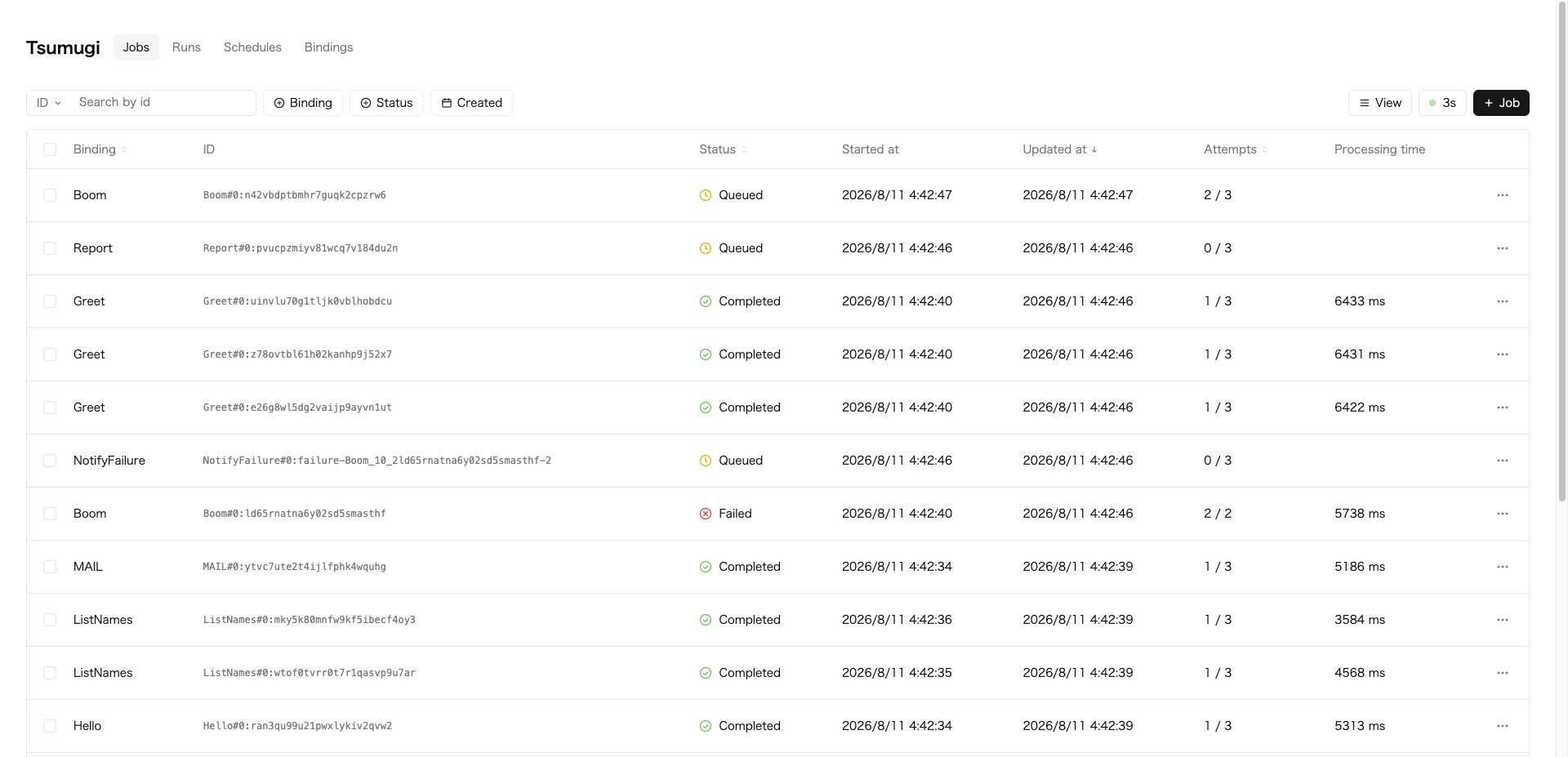
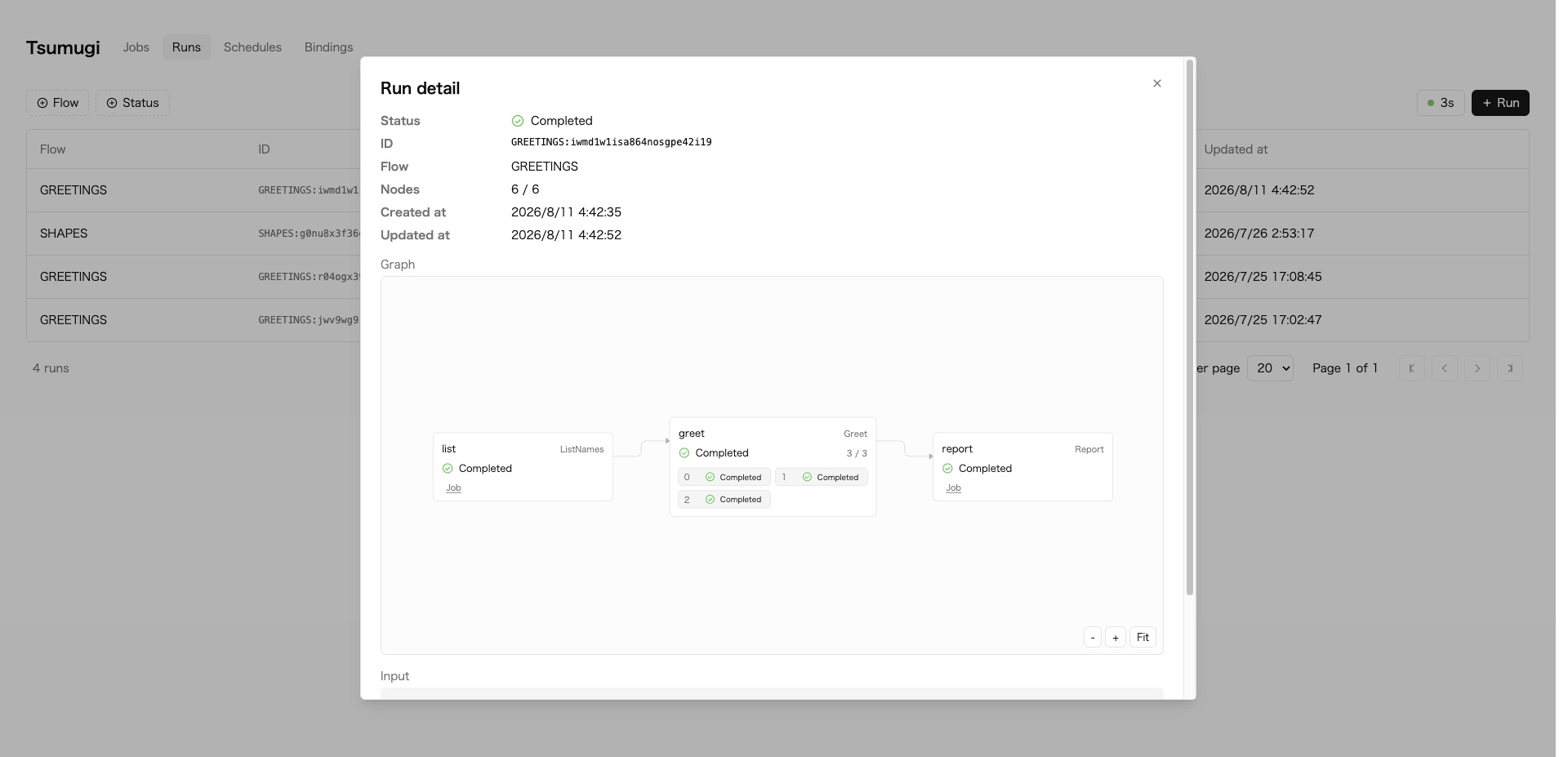
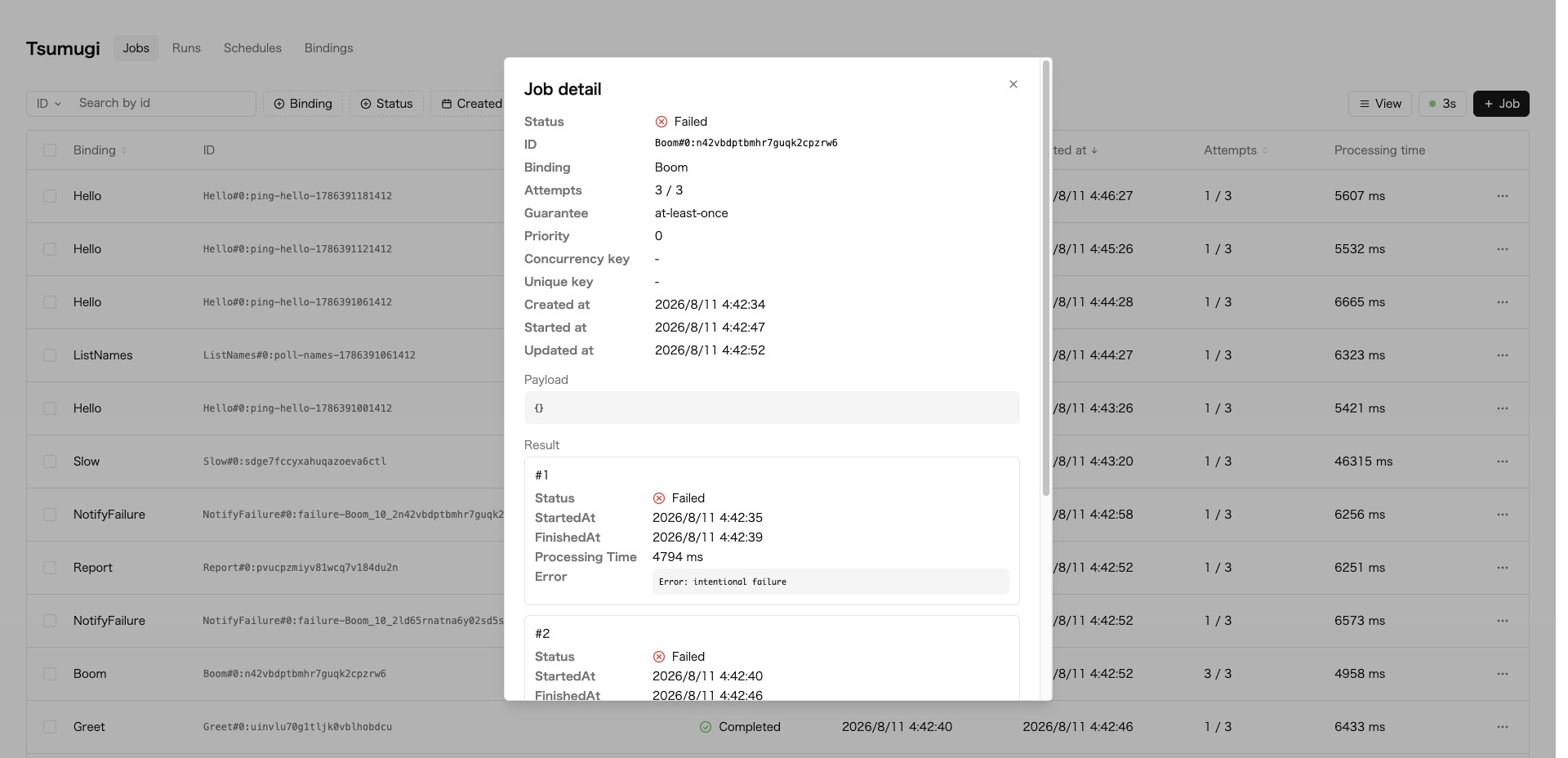
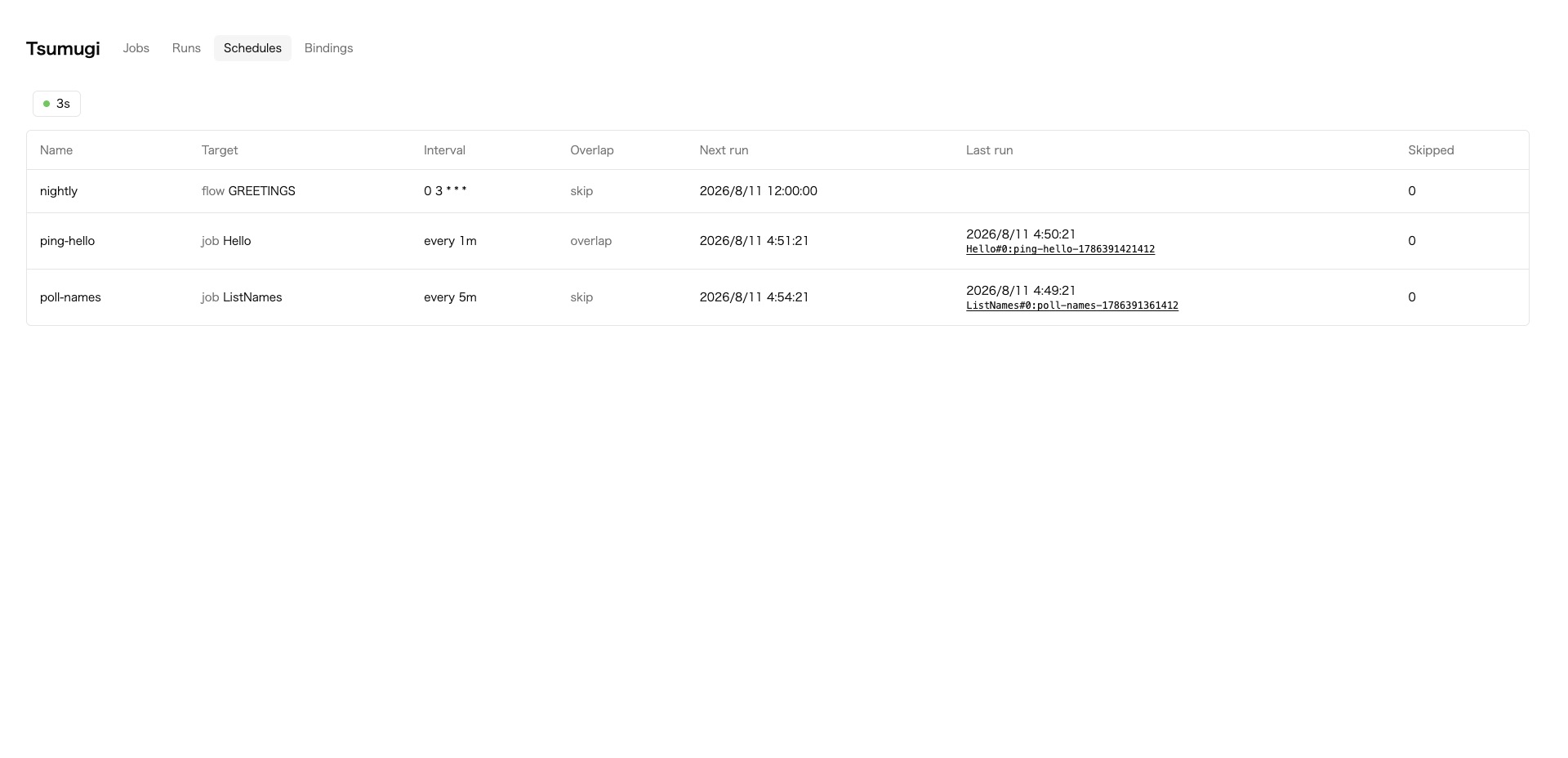
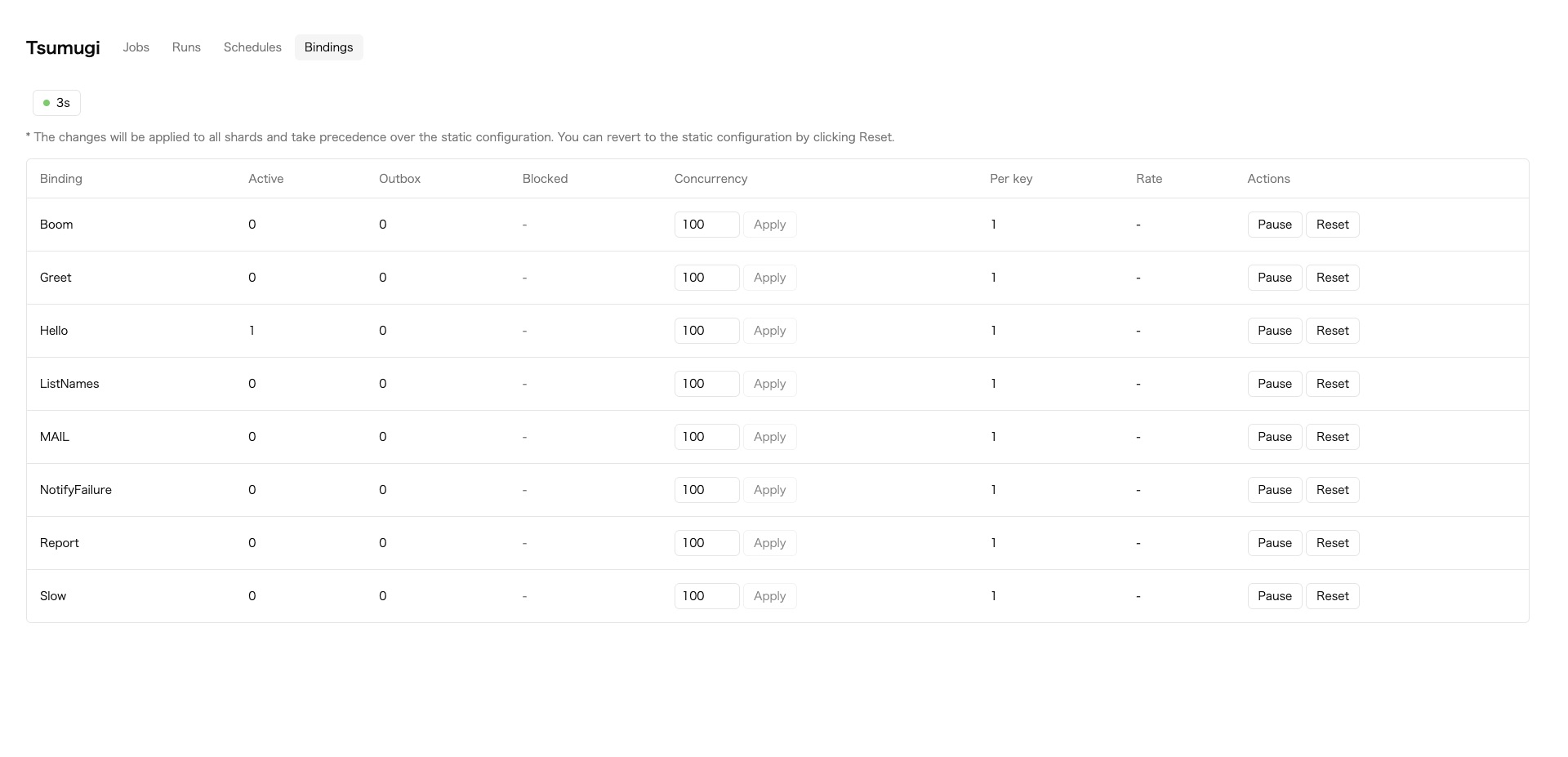
await tsumugi.enqueue(env, { binding: 'SendMail', payload, uniqueKey: 'a@example.com' });The dashboard is served at / and the REST API under /api, both behind the token configured above. Listing, search, retry and cancellation need no code of your own.
/にダッシュボード, /apiにREST APIが用意され, どちらも上で設定したトークンで認証します。一覧, 検索, 再実行, 取り消しは自分でコードを書かずに行えます。
 |
 |
Runs: Flowの実行状況と依存関係 |
Job detail: 試行ごとのエラーと再実行 |
 |
 |
Schedules: 定期実行の予定と直近の発火 |
Bindings: 同時実行数の変更と一時停止 |
Flow, recurring execution, rate limits, delivery guarantees and remote performers are described in the documentation.
Flow, 定期実行, 流量制御, 実行保証, 別Workerへの配置についてはドキュメントを参照してください。
Node.js 22 and pnpm are required. This repository is a pnpm workspace.
Node.js 22とpnpmが必要です。このリポジトリはpnpmのワークスペースです。
pnpm install
pnpm build
pnpm test| Path | Description |
|---|---|
packages/tsumugi |
The published package and its CLI |
packages/dashboard |
Dashboard UI, built into the package |
packages/spec |
TypeSpec definition of the REST API |
examples/basic |
Worker that defines and runs performers |
examples/remote-performer |
Performers placed in a separate Worker |
site |
Documentation site |
docs/decision |
Architecture decision records |
| Command | Description |
|---|---|
pnpm build |
Builds the dashboard, the spec and the package |
pnpm typecheck |
Typechecks every workspace |
pnpm test |
Typecheck and all test projects |
pnpm test:unit |
Pure functions, runs without workerd |
pnpm test:workers |
Tests running on workerd |
pnpm format |
Formats with Prettier |
To run the documentation site or an example locally, use the workspace filter.
ドキュメントサイトやexampleを動かす場合はワークスペースを指定します。
pnpm --filter @tsumugi/site dev
pnpm --filter tsumugi-example-basic devMIT