A comprehensive Point of Sale (POS) system built with Laravel 10, designed for retail businesses to manage products, process orders, and track customers efficiently. Features a modern interface with real-time inventory management and detailed reporting capabilities.
This POS (Point of Sale) system provides a complete solution for retail stores, restaurants, and small businesses to manage their daily operations. Built with Laravel 10 and modern frontend tools, it offers an intuitive interface for quick order processing, inventory management, and customer relationship management.
- Quick POS Interface: Fast product selection and checkout
- Real-time Cart: Dynamic cart with quantity adjustments
- Multiple Payment Methods: Cash, card, and digital payments
- Order History: Complete transaction records
- Receipt Printing: Generate printable receipts
- Product CRUD: Complete product lifecycle management
- Categories: Organize products by categories
- Inventory Tracking: Real-time stock level monitoring
- Barcode Support: Quick product lookup
- Product Images: Visual product identification
- Price Management: Flexible pricing options
- Customer Database: Maintain customer information
- Purchase History: Track customer transactions
- Loyalty Points (if implemented): Reward regular customers
- Customer Search: Quick customer lookup
- Sales Reports: Daily, weekly, monthly sales summaries
- Product Performance: Best-selling products
- Revenue Analytics: Income tracking and trends
- Inventory Reports: Stock levels and movements
- Role-based Access: Admin and cashier roles
- User Authentication: Secure login system
- Activity Logs: Track user actions
- Multi-user Support: Multiple cashiers simultaneously
| Technology | Purpose |
|---|---|
| Laravel 10 | Backend framework |
| PHP 8.1+ | Server-side language |
| MySQL | Database management |
| Tailwind CSS | Modern styling framework |
| Alpine.js | Lightweight JavaScript framework |
| Vite | Asset bundling and HMR |
| Livewire (if used) | Dynamic interfaces |
odeng-pos/
├── app/
│   ├── Http/Controllers/      # Request handlers
│   ├── Models/                # Eloquent models
│   └── Services/              # Business logic
├── database/
│   ├── migrations/            # Database schema
│   └── seeders/              # Sample data
├── resources/
│   ├── views/                # Blade templates
│   ├── js/                   # JavaScript files
│   └── css/                  # Stylesheets
├── public/                   # Public assets
├── routes/
│   └── web.php              # Application routes
└── storage/                  # Uploaded files
For detailed system requirements, check Laravel 10 Server Requirements:
- PHP >= 8.1
- MySQL >= 5.7
- Composer
- Node.js & NPM
- Web server (Apache/Nginx)
-
Clone the Repository
git clone https://github.com/angkosal/laravel-pos.git YourDirectoryName
Replace
YourDirectoryNamewith your preferred folder name. -
Navigate to Project Directory
cd YourDirectoryName -
Install PHP Dependencies
Laravel uses Composer for dependency management:
composer install
-
Environment Configuration
Rename or copy the example environment file:
cp .env.example .env
Then:
-
Generate application key:
php artisan key:generate
-
Set database credentials in
.env:DB_CONNECTION=mysql DB_HOST=127.0.0.1 DB_PORT=3306 DB_DATABASE=your_database_name DB_USERNAME=your_username DB_PASSWORD=your_password
-
Set your
APP_URL:APP_URL=http://localhost:8000
-
-
Database Setup
Run migrations to create database tables:
php artisan migrate
Seed the database with initial data and admin user:
php artisan db:seed
Default Admin Credentials:
- Email:
admin@gmail.com - Password:
admin123
- Email:
-
Install Node Dependencies
npm install
Build assets:
- For development:
npm run dev
- For production:
npm run build
-
Create Storage Link
Link public storage for file uploads:
php artisan storage:link
-
Run the Application
php artisan serve
Or use Laravel Homestead/Valet for local development.
-
Access the System
Open your browser and visit:
http://localhost:8000Login with admin credentials:
- Email:
admin@gmail.com - Password:
admin123
- Email:
- Navigate to the application URL
- Enter admin credentials
- Access the dashboard
- Click "New Order" or "POS" menu
- Select products by searching or browsing
- Add items to cart
- Adjust quantities if needed
- Select customer (optional)
- Choose payment method
- Complete transaction
- Print receipt
- Go to "Products" menu
- Click "Add Product" for new items
- Enter product details:
- Name
- SKU/Barcode
- Category
- Price
- Stock quantity
- Image
- Save product
- Navigate to "Customers"
- Add new customer with details
- View customer purchase history
- Edit customer information
- Access "Reports" dashboard
- Select report type
- Choose date range
- Generate and export reports
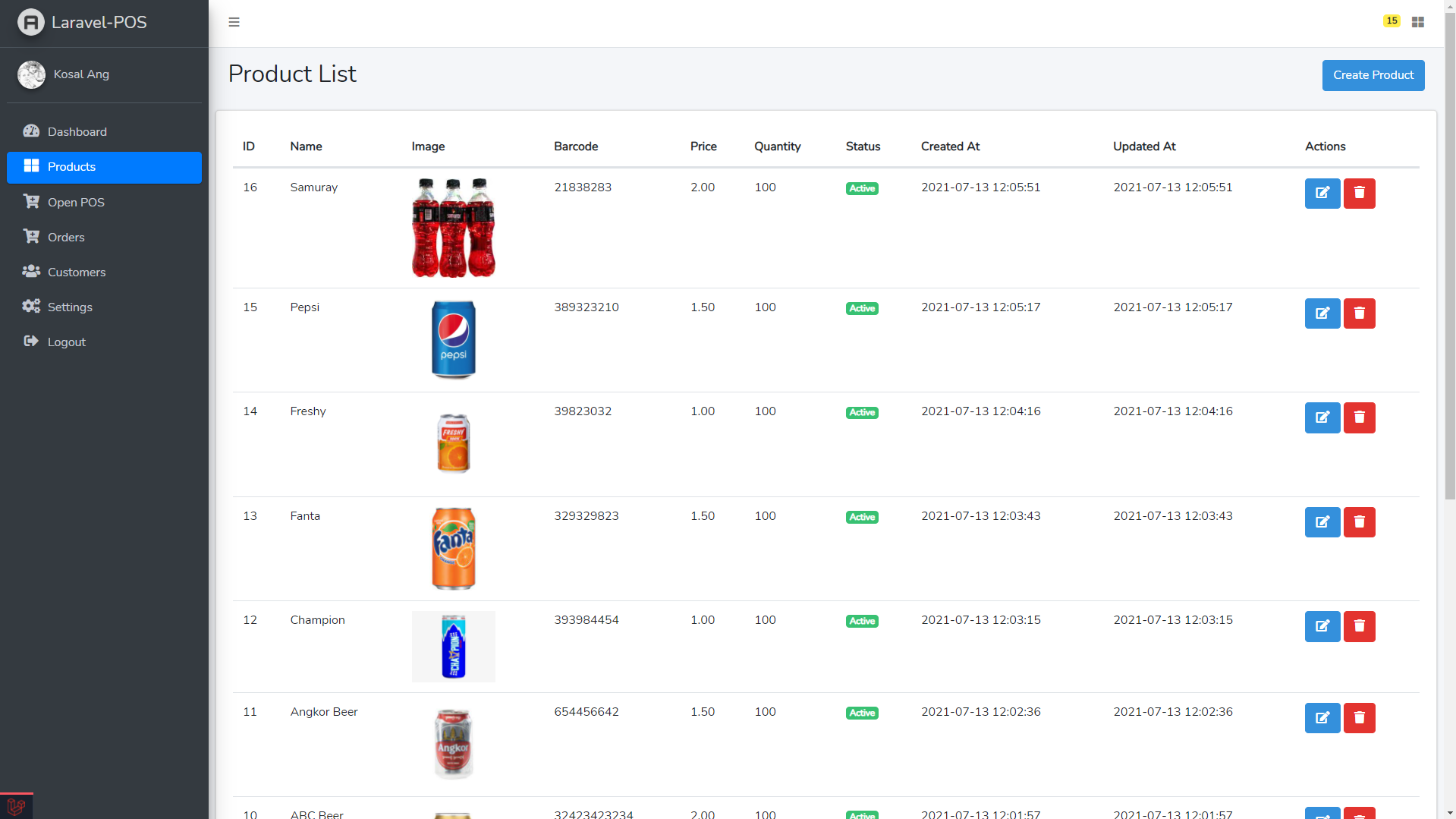
Comprehensive product management interface with search, filter, and bulk actions.
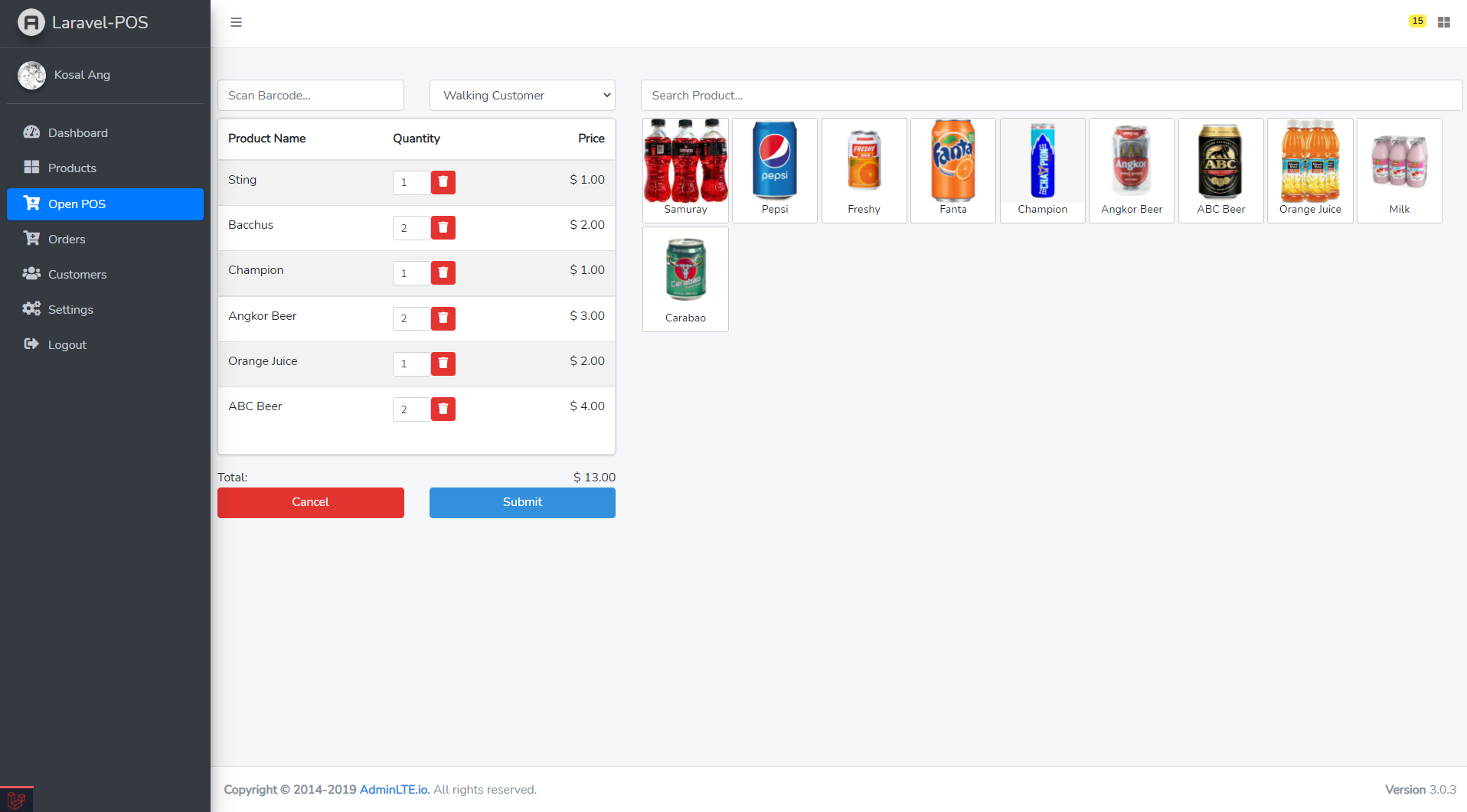
Quick and intuitive point-of-sale interface for fast checkout.
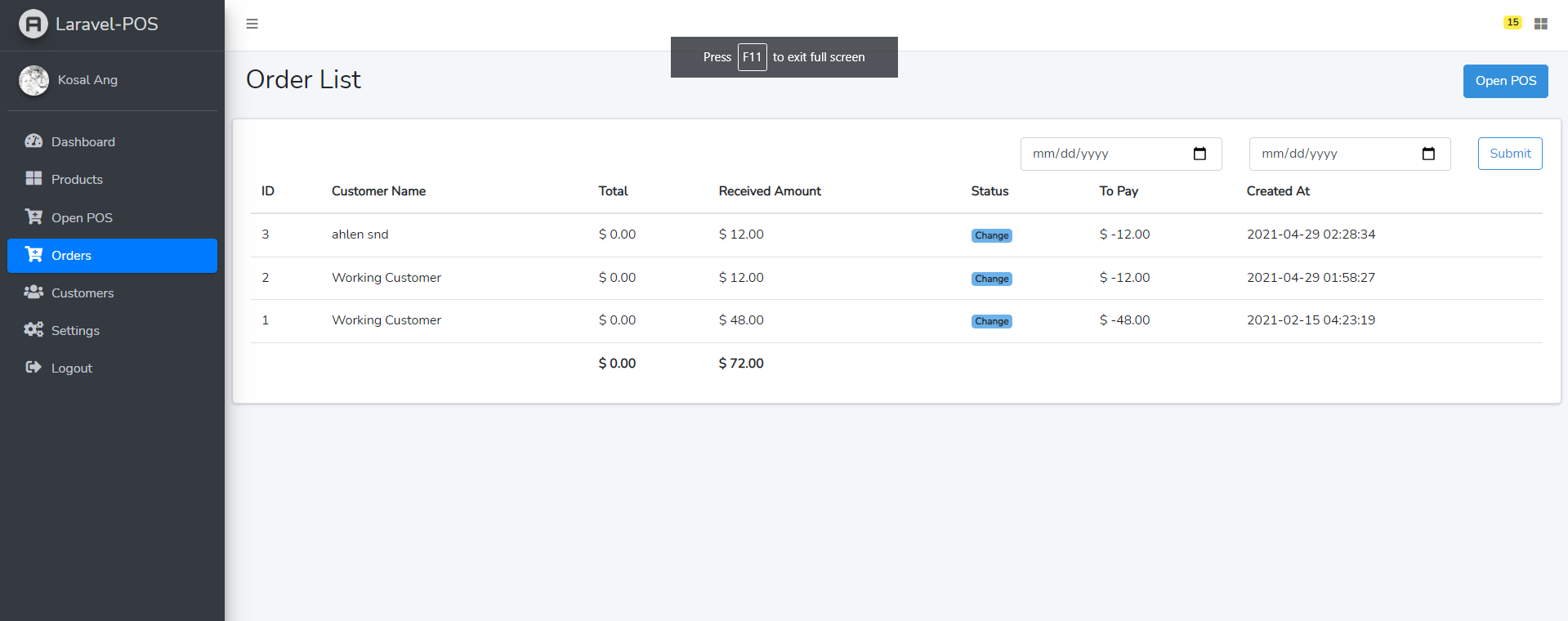
Complete order history with status tracking and search capabilities.
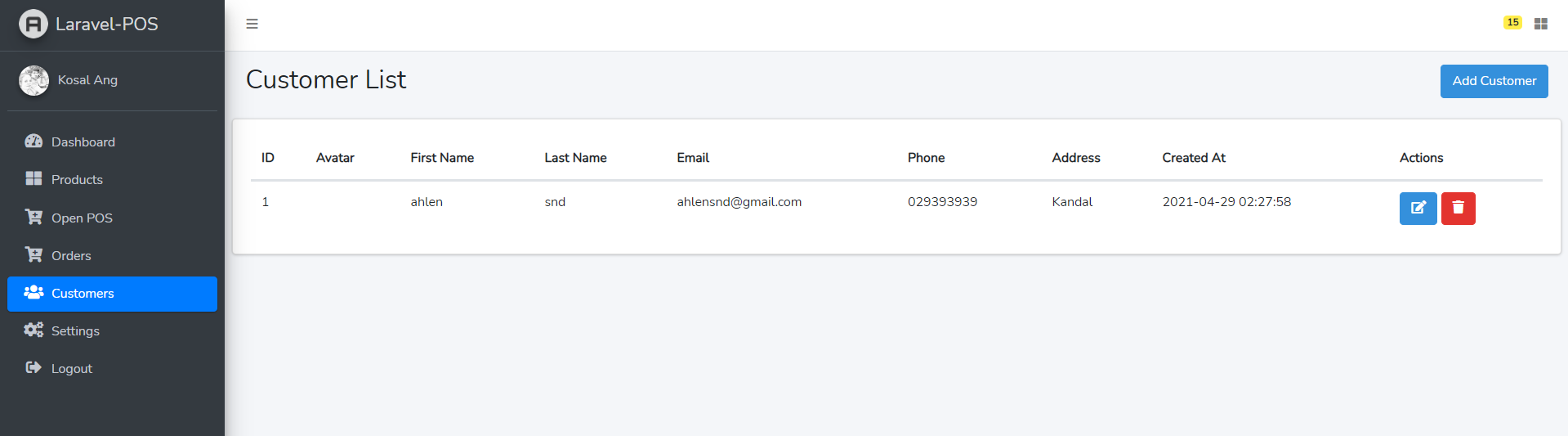
Customer database management with purchase history.
products
- id, name, sku, category_id
- price, cost, stock
- image, description
- created_at, updated_at
orders
- id, order_number, customer_id
- total_amount, payment_method
- status, created_at
order_items
- id, order_id, product_id
- quantity, price, subtotal
customers
- id, name, email, phone
- address, created_at
- Authentication and authorization
- CSRF protection
- SQL injection prevention
- XSS protection
- Password hashing (BCrypt)
- Secure session management
Installation Issues
- Ensure PHP version >= 8.1
- Check Composer is installed
- Verify database credentials
Assets Not Loading
- Run
npm run build - Clear cache:
php artisan cache:clear - Check file permissions
Database Errors
- Verify
.envdatabase settings - Ensure database exists
- Check user permissions
-
Optimize Application
composer install --optimize-autoloader --no-dev
php artisan config:cache
php artisan route:cache
php artisan view:cache
npm run build
-
Set Environment
APP_ENV=production
APP_DEBUG=false
-
Configure Web Server
- Point document root to
public/folder - Enable mod_rewrite (Apache)
- Configure PHP-FPM (Nginx)
- Point document root to
Contributions are welcome! Please feel free to submit pull requests or open issues for bugs and feature requests.
This project is open source. Please check the repository for license details.
Special thanks to all contributors and the Laravel community for making this project possible.
If you find this project helpful, consider supporting the development!

Built with Laravel 🛒💳
A Complete Point of Sale Solution for Modern Businesses!