
Before proceeding, ensure you have initialized a Firestore database following the Data Import Guide.
Important: This project requires a service account key named firebase-auth.json located in the root directory. For security reasons, this file is not included in the GitHub repository. You must use your own credentials to connect to your Firestore instance.
Prerequisites
- Environment: It is highly recommended to use WSL (Windows Subsystem for Linux).
- Node.js: Please use the Node.js LTS version for stability.
step 0: setup nestjs
npm i -g @nestjs/cli
Step 1: Clone the Repository Use GitHub Personal Access Token (PAT) to clone the backend repository:
git clone https://github.com/edwinwcw2021/firehawk-backend.git
Step 2: Install Dependencies Navigate to the project folder and install the required packages:
npm install
Step 3: Development & Debugging
To run the application in Debug Mode, use the built-in VS Code debugger (F5) or run:
nest start
Step 4: Production Deployment
To create a production-ready build:
- Run npm run build to generate the dist folder.
- Deploy the dist folder along with your package.json.
- In the production environment, Install Dependencies
npm i
To debug the backend, press F5 in VS Code. Once the server is active, navigate to http://localhost:3068/docs/ to access the Swagger UI, where you can test the API endpoints directly.
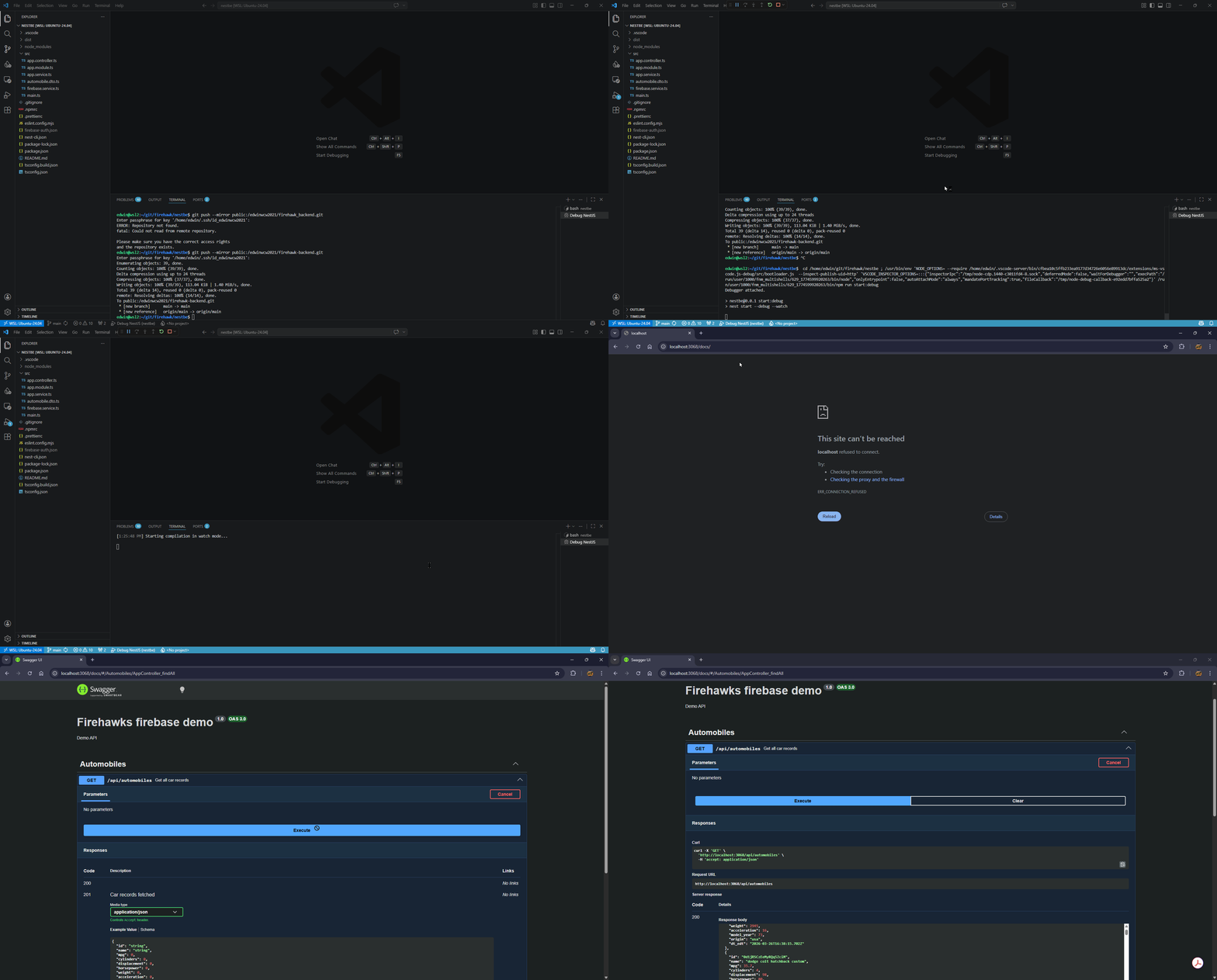
https://firehawk.vagweb.com/images/node1.gif
Nest framework TypeScript starter repository.
$ npm install# development
$ nest start
# production build
$ nest buildCheck out a few resources that may come in handy when working with NestJS:
- Visit the NestJS Documentation to learn more about the framework.
- For questions and support, please visit our Discord channel.
- To dive deeper and get more hands-on experience, check out our official video courses.
- Deploy your application to AWS with the help of NestJS Mau in just a few clicks.
- Visualize your application graph and interact with the NestJS application in real-time using NestJS Devtools.
- Need help with your project (part-time to full-time)? Check out our official enterprise support.
- To stay in the loop and get updates, follow us on X and LinkedIn.
- Looking for a job, or have a job to offer? Check out our official Jobs board.