GLPI Plugin for making PDF reports with user inventory.
Compatibile with GLPI 11
- Generate PDF protocols with all or selected assets assigned to a user
- You can create multiple configurable templates for different use cases
- Template options:
- Font, font size, table header color
- Page orientation (Portrait / Landscape)
- Logo with configurable height and alignment
- Word breaking (fixed vs. dynamic column widths)
- City and date in header
- Upper content, main content and footer text fields
- Placeholders {owner}, {admin}, {cur_date} that you can use in text fields in templates
- Manufacturer + Model in one or two separate columns
- Serial number and inventory number in one or two columns
- Optional Status column
- You can add custom rows (for assets not in GLPI)
- Generated PDFs saved automatically to GLPI Documents and linked to the user
- Optional manual or automatic email sending with generated document
Plugin reworked for GLPI 11 and PHP 8.1+.
- Fixed all depreceated code, added new functions and methods
- Used more native GLPI functions and elements (both in backend and UI)
- Refreshed UI with more logical and intuitive layout
- Used newest version of dompdf library
- Added new features:
- Default template
- Template preview
- Tooltips
- Multiple logo options
- Optional status column
- More options in template config
If you have an idea, bug or problem - please create an issue.
- GLPI 11+
- PHP 8.1+
- Download and extract package
- Copy protocolsmanager folder to GLPI plugins directory
- Go to GLPI Plugin Menu and click 'install' and then 'activate'
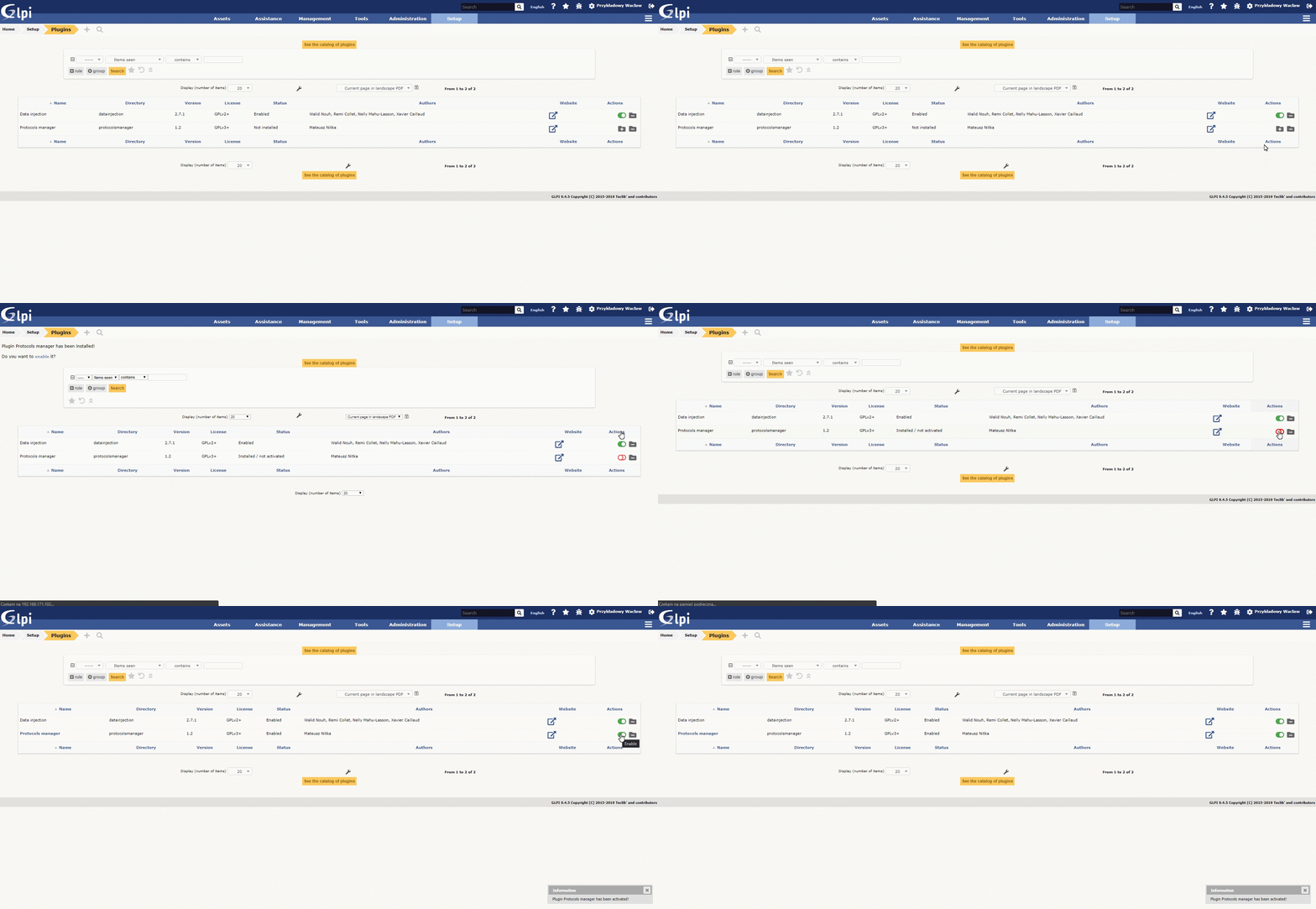
- Extract package and copy to plguins directory (replace old protocolsmanager folder)
- Go to GLPI Plugin Menu, you should see 'to update' status.
- Click on 'install' and then 'activate'
- Go to Profiles and click on profile you want to add permissions to plugin
- Select permissions and save
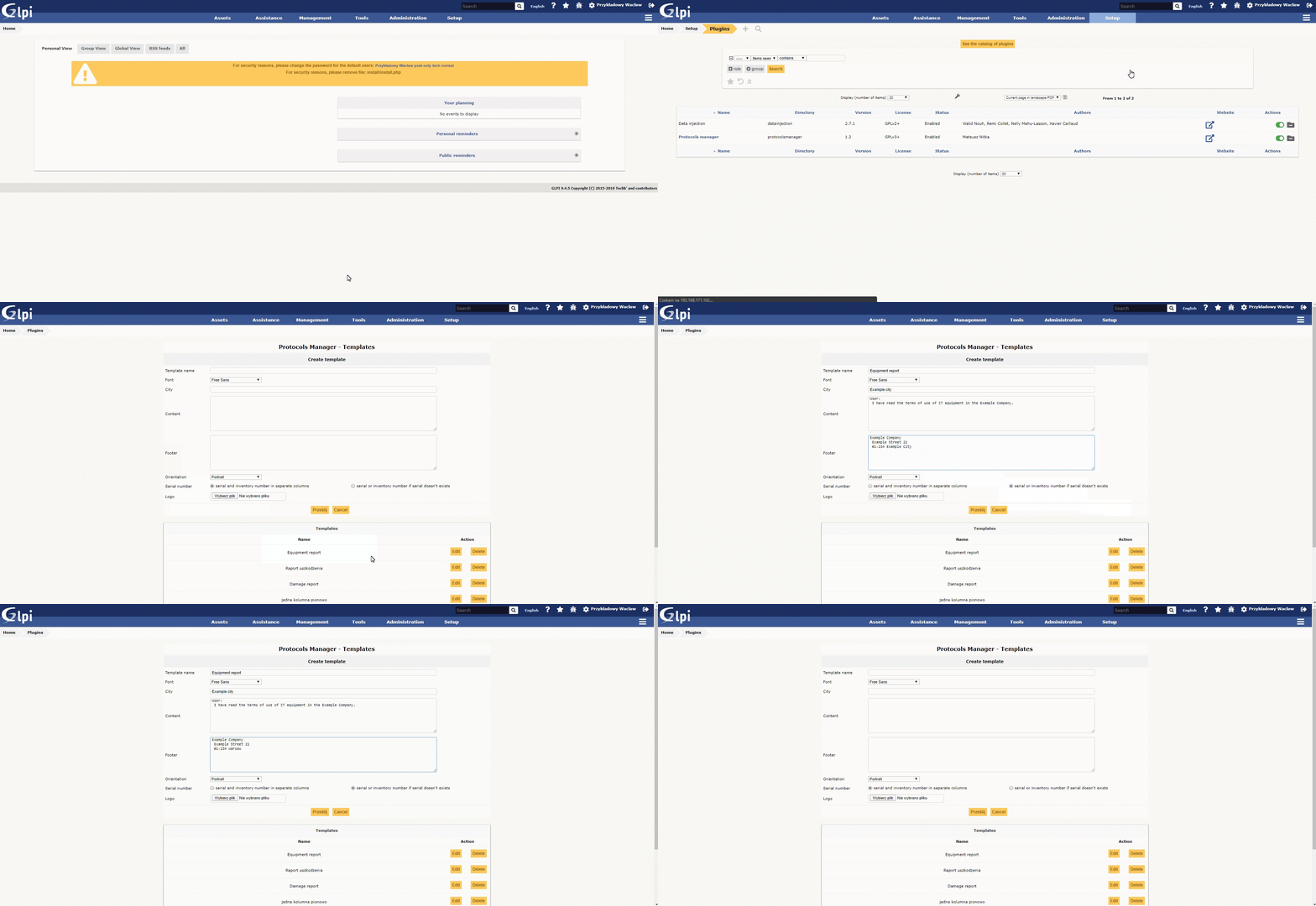
- Go to Plugins -> Protocols manager
- Edit default or create new template: Fill all or some textboxes, choose your font, logo and other options.
- You can set default template
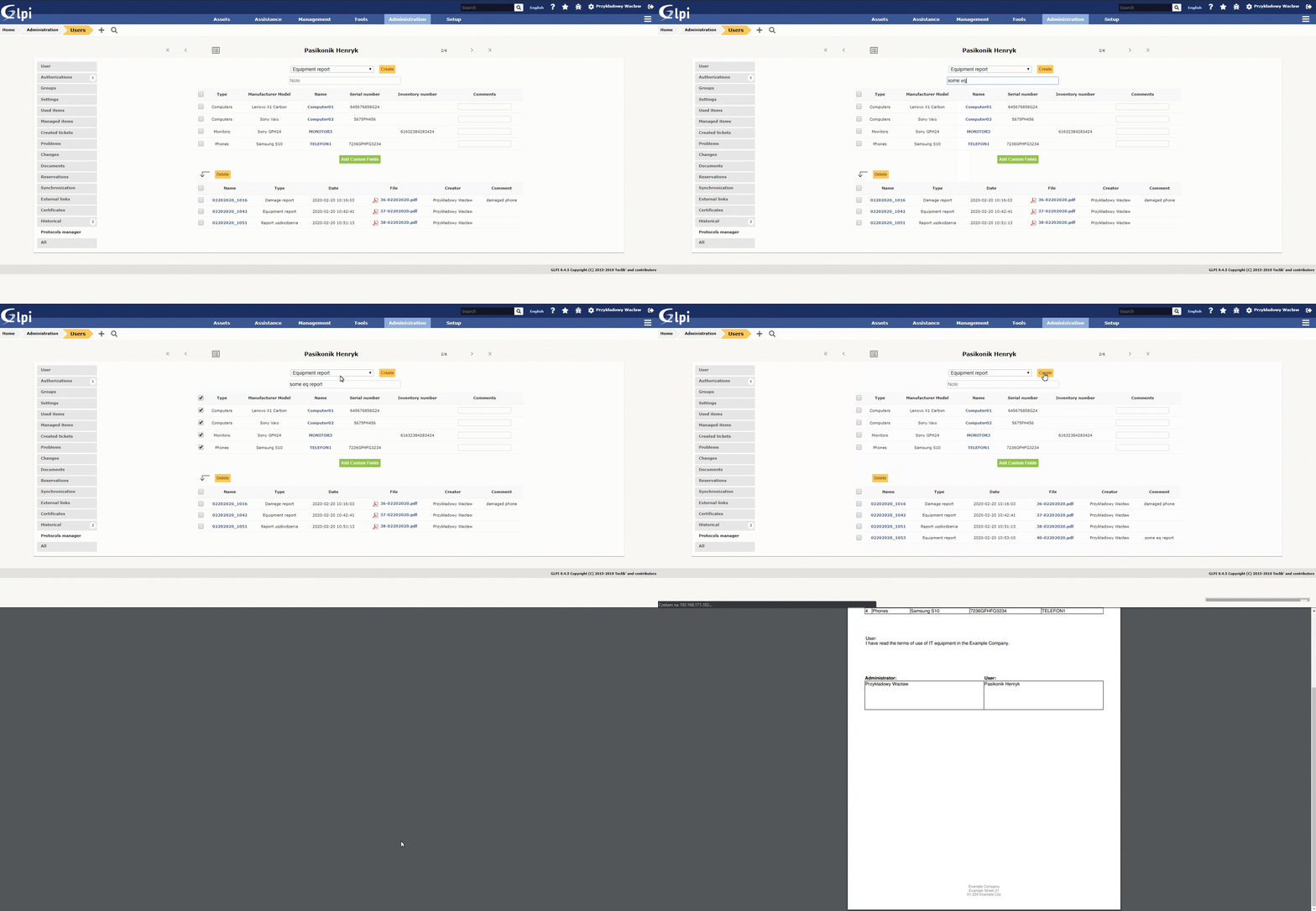
- Go to Administration -> Users and click on user login
- Go to Protocols Manager tab
- Select some or all items
- Write a comment to an item (optional)
- Add and fill custom rows (optional)
- Write a note to export (optional)
- Select your template from list and click "Create"
- Your protocol is on list above now, you can open it in new tab. It is available in Managament -> Documents too.
- You can delete all or some protocols by selecting them and click "Delete".
- Generated items depends on what you assign to the user in GLPI
- You can edit template core in HTML by editing template.php file in protocolsmanager/inc directory
- You cannot update plugin from 1.4 or forked versions of Protocols Manager. You have to make fresh install.
Plugin is under active maintenance.
To do:
- Update Wiki, GIFs on Github
- Put it in GLPI Marketplace
If you like my work, you can support me by a donate here:

