
Stash TV allows you to view your scenes and markers by swiping though them similar to TikTok. It's based on Stash Reels with some performance improvements and additional features.
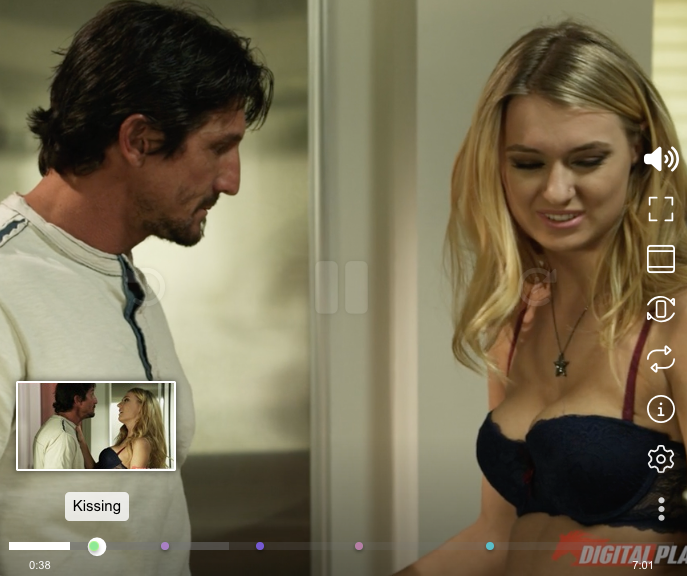
Features:
- Filter scenes or markers using your saved filters in Stash.
- Tap to jump forwards or back in the video.
- Scrub though the video with a video thumbnail.
- Video tags shown on the video progress bar.
- Video rotation for easy landscape viewing when lying down on your side.
- A fun CRT TV filter option.
- Updates your play count in Stash for scenes you watch.
- Optionally play just a scene's short preview.
- Add the secondfolder stash-plugins source to Stash if it hasn't been added already.
-
Instructions
Plugins can be installed and managed from the Settings > Plugins page.
Under the Available Plugins section click Add Source and enter the following details:
Name:
secondfolder's plugins (stable)Source URL:
https://secondfolder.github.io/stash-plugins/stable/index.ymlLocal Path:
secondfolder-stable
- In Settings > Plugins find Stash TV under Available Plugins > secondfolder's plugins (stable), select it then click Install.
Click the new TV link in the nav bar at the top of Stash (this button can be disabled in the plugin settings if desired).
A very rough list of features I'd like to add at some point can be found in the Stash TV thread in the Stash Forums. You can make any feature ideas you have in either a GitHub ticket or a post in that forum.
To run first copy the sample .env file
cp packages/tv-ui/.env.sample packages/tv-ui/.envThen update the env vars in the new packages/tv-ui/.env file.
Now you can install the required dependences and run the dev server
yarn install
yarn --cwd packages/stash-ui setup
yarn dev
Commit messages should use the Conventional Commits format as release notes are generated automatically from the commit history.
The codebase is split into 3 packages.
packages/tv-uiis where the actual app code for the plugin lives.packages/tv-pluginis responsible for taking that web app and bundling it into a form that Stash recognises as a plugin. It also includes any UI that is injected directly in Stash's existing UI.packages/stash-uiincludes a copy of the actual Stash app codebase along with some code to extract and the frontend code from that. This is so we can reuse various parts of Stash's frontend code such as react components, Stash API client and typescript types without needing to rewrite all that ourselves or try to manually keep a copies of any useful extracted code in sync.
We use the same Apollo client as the stash frontend with a small wrapper around it to make a few tweaks and some additions to the GraphQL
schema so that we can optimise what data we fetch from the API. At first we load 20 scenes/makers but as the user approaches the
bottom of the list of loaded media we load some more. The code for loading media is abstracted out into a hook
(useMediaItems() in packages/tv-ui/src/hooks/useMediaItems.ts).
The storybook code is from the original Stash Reels fork and is currently broken as it hasn't yet been updated to working with the major code refactoring in Stash TV.
Most of the app's state lives in a Zustand store in packages/tv-ui/src/store/appStateStore.ts so that it can be
accessed anywhere in the codebase without needing to do lots of prop drilling.
packages/tv-ui/src/hooks/useStashTvConfig.ts manages fetching and saving any Stash Tv specific config that lives in
Stash's plugin config storage.
Stash's ScenePlayer component is in some ways tightly coupled to Stash's codebase so
packages/tv-ui/src/components/ScenePlayer is a wrapper around it that tries to make it a little more contained and
provide more options for tweaking it's behaviour. That is intended to be a bit more of a generic component that could be
used in other Stash related plugins where as packages/tv-ui/src/components/slide/MediaSlide uses ScenePlayer but adds explicitly Stash
TV related additions.
The forceLandscape setting (toggled by the "view rotation" button) is a bit complex since a bunch of things break when
you rotate the entire page. We need to do a bunch of tricks to make that work like catching and remapping various
mouse/touch events. Currently the code for this feature is a little bit scatted all over the place such as in
packages/tv-ui/src/app/App.tsx and packages/tv-ui/src/styles/globals.scss but at some point I hope to refactor this
into one place as much as possible.
