

goldmark-pdf is a renderer for goldmark that allows rendering to PDF.
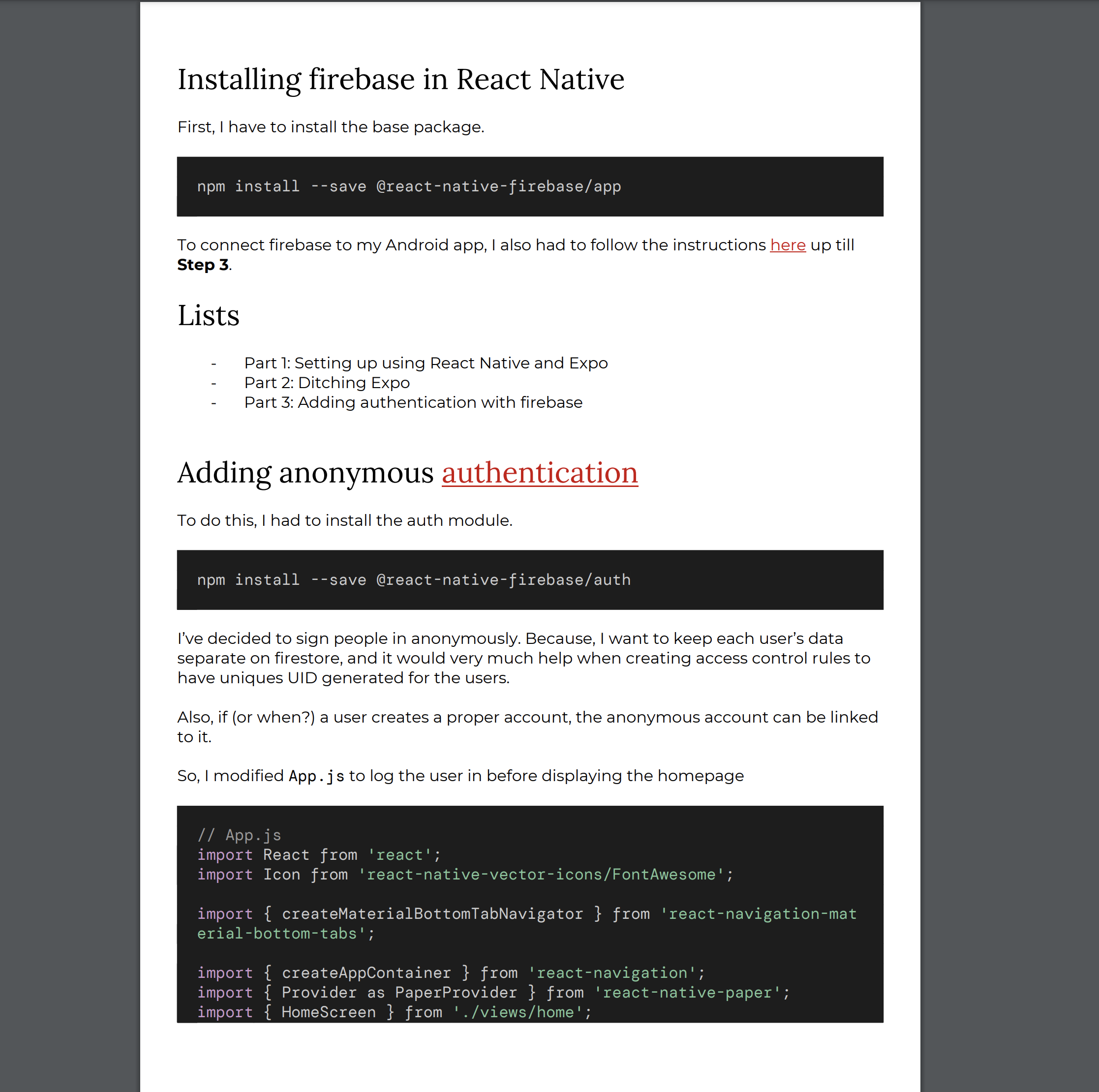
See https://pkg.go.dev/github.com/stephenafamo/goldmark-pdf
Care has been taken to match the semantics of goldmark and its extensions.
The PDF renderer can be initiated with pdf.New() and the returned value satisfies goldmark's renderer.Renderer interface, so it can be passed to goldmark.New() using the goldmark.WithRenderer() option.
markdown := goldmark.New(
    goldmark.WithRenderer(pdf.New()),
)
Options can also be passed to pdf.New(), the options interface to be satisfied is:
// An Option interface is a functional option type for the Renderer.
type Option interface {
	SetConfig(*Config)
}
Here is the Config struct that is to be modified:
type Config struct {
	Context context.Context

	PDF PDF

	// A source for images
	ImageFS fs.FS

	// All other options have sensible defaults
	Styles Styles

	// A cache for the fonts
	FontsCache fonts.Cache

	// Receives trace/warning events. nil disables logging.
	Logger *slog.Logger

	NodeRenderers util.PrioritizedSlice
}
Some helper functions for adding options are already provided. See
option.go
An example with some more options:
goldmark.New(
    goldmark.WithRenderer(
        pdf.New(
            pdf.WithLogger(slog.Default()),
            pdf.WithContext(context.Background()),
            pdf.WithImageFS(http.FS(os.DirFS("."))),
            pdf.WithLinkColor("cc4578"),
            pdf.WithHeadingFont(pdf.GetTextFont("IBM Plex Serif", pdf.FontLora)),
            pdf.WithBodyFont(pdf.GetTextFont("Open Sans", pdf.FontRoboto)),
            pdf.WithCodeFont(pdf.GetCodeFont("Inconsolata", pdf.FontRobotoMono)),
            pdf.WithEscapeHTML(false), // default: true
        ),
    ),
    goldmark.WithRendererOptions(
        html.WithUnsafe(), // for compatibility if WithEscapeHTML() is not used
    ),
)By default, the renderer HTML-escapes literal text, which means characters like <, >, and & are written into the PDF as <, >, & — the right thing for an HTML document but visible noise in a PDF.
Pass pdf.WithEscapeHTML(false) to emit those characters as-is. This is what you want when the source contains inline code or fenced blocks with HTML-like content, e.g. `<strong>bold</strong>` should appear with its angle brackets intact rather than as <strong>bold</strong>.
The renderer emits two kinds of events through log/slog:
- Debug — verbose AST-walk trace (one record per node enter/leave), useful for diagnosing layout issues. Each record carries
msg(detail) anddepth(stack depth) attributes. - Warn — recoverable problems such as a missing image. The PDF is still produced; the warning lets the caller know something was skipped.
Logging is opt-in. By default Config.Logger is nil and both LogDebug and LogWarn are no-ops, so nothing is written to stderr unless you ask for it.
To opt in, pass pdf.WithLogger(...) with the slog logger you want to route events through:
// Use the process-wide slog default (writes Info+ to stderr by default).
pdf.WithLogger(slog.Default())

// Or build a dedicated logger — e.g. JSON to a file, with Warn level filtering.
logger := slog.New(slog.NewJSONHandler(f, &slog.HandlerOptions{Level: slog.LevelWarn}))
pdf.WithLogger(logger)
The Debug records are emitted for every node enter/leave, so a real document produces thousands of them. Most callers only care about warnings — restrict the handler's level to drop the trace noise:
// Only surface warnings (e.g. missing images); ignore the AST-walk trace.
logger := slog.New(slog.NewTextHandler(os.Stderr, &slog.HandlerOptions{
    Level: slog.LevelWarn,
}))
pdf.WithLogger(logger)The fonts that can be used in the PDF are based on the Font struct
// Represents a font.
type Font struct {
	CanUseForText bool
	CanUseForCode bool

	Category string
	Family   string

	FileRegular    string
	FileItalic     string
	FileBold       string
	FileBoldItalic string

	Type fontType
}
To be used for text, a font should have regular, italic, bold and bold-italic styles. Each of these has to be loaded separately.
To ease this process, variables have been generated for all the Google fonts that have these styles. For example:
var FontRoboto = Font{
	CanUseForCode:  false,
	CanUseForText:  true,
	Category:       "sans-serif",
	Family:         "Roboto",
	FileBold:       "700",
	FileBoldItalic: "700italic",
	FileItalic:     "italic",
	FileRegular:    "regular",
	Type:           fontTypeGoogle,
}
For codeblocks, if any other style is missing, the regular font is used in place.
var FontMajorMonoDisplay = Font{
	CanUseForCode:  true,
	CanUseForText:  false,
	Category:       "monospace",
	Family:         "Major Mono Display",
	FileBold:       "regular",
	FileBoldItalic: "regular",
	FileItalic:     "regular",
	FileRegular:    "regular",
	Type:           fontTypeGoogle,
}
When loading the fonts, they are downloaded on the fly using the fonts.
If you'd like to use a font outside of these, you should pass your own font struct which have been loaded into the PDF object you set in the Config. Be sure to set the FontType to FontTypeCustom so that we do not attempt to download it.
The examples/ directory contains runnable markdown samples that render through both the fpdf and gopdf backends:
go run ./examplesThis renders every examples/*.md and writes <name>.<backend>.pdf next to each input (e.g. tables.md → tables.fpdf.pdf, tables.gopdf.pdf).
Here's a list of things that I'd love help with:
- More documentation
- Testing
- Finish the (currently buggy) implementation based on
gopdf
MIT