A comfortable, eye-friendly VS Code theme for developers who spend long hours coding. Features both a light and dark variant with carefully selected colors that provide excellent contrast without causing eye strain.
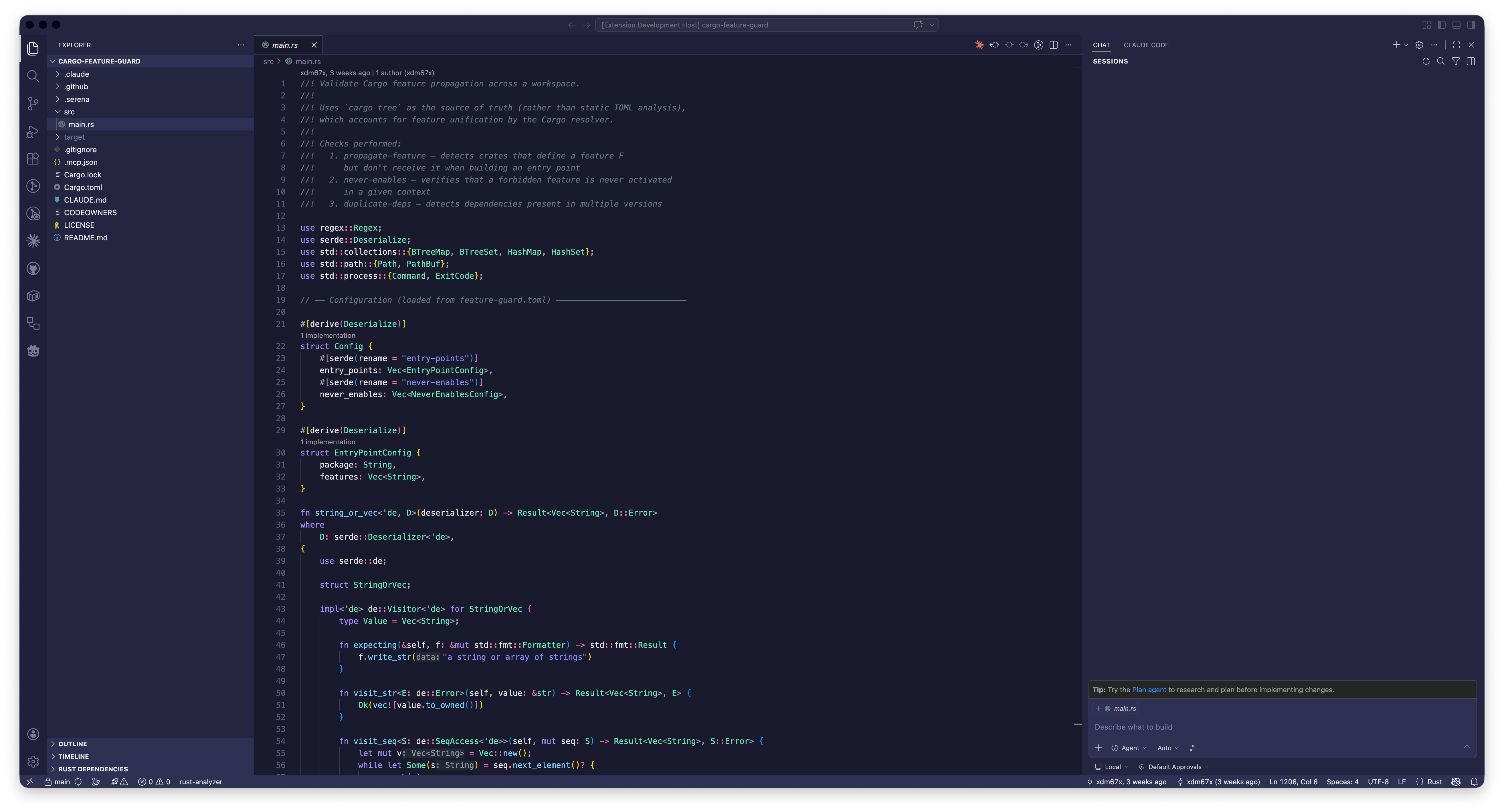
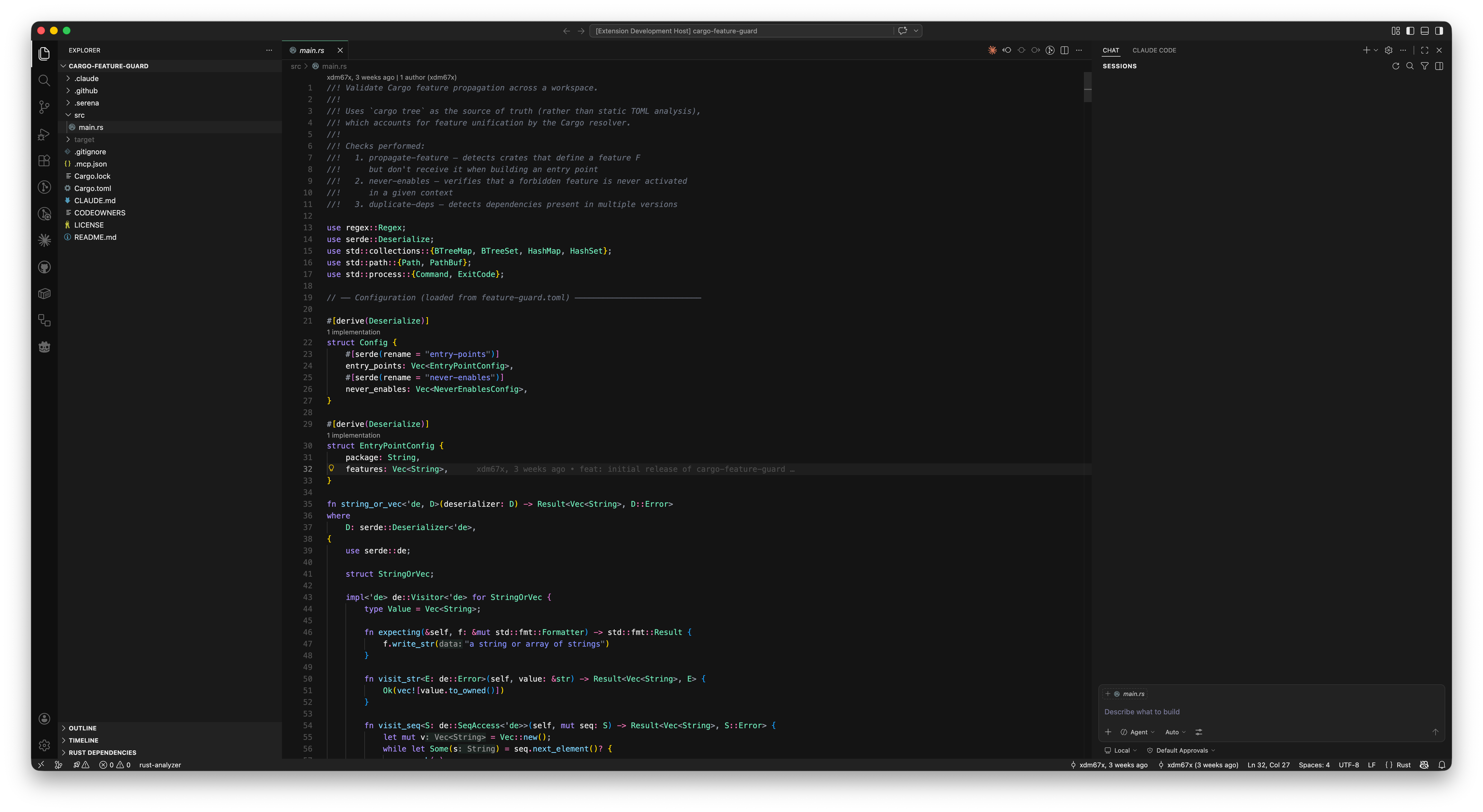
- Three Beautiful Variants: Light theme for daytime coding, Blue Edition for a cool nighttime experience, and Dark Edition for a pure black theme
- Eye-Friendly Palette: Soft, pastel-inspired colors that reduce eye fatigue
- Excellent Contrast: Carefully tuned colors ensure readability without harsh contrasts
- No Harsh Reds: Warm oranges and indigos replace aggressive reds
- Developer-Focused: Optimized syntax highlighting for TypeScript, JavaScript, Python, Rust, and more
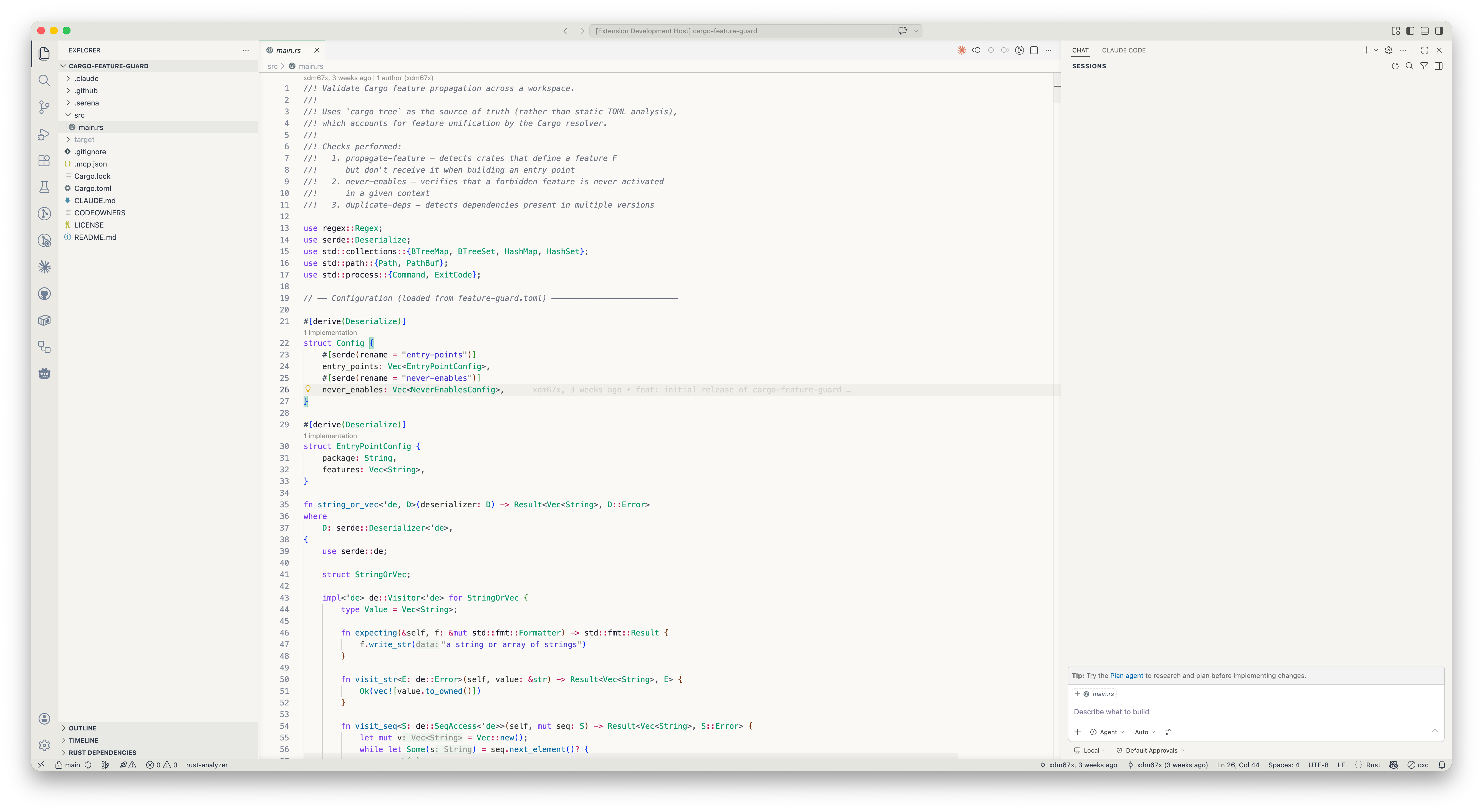
| Token Type | Color | Hex |
|---|---|---|
| Background | Off-White | #FAF9F6 |
| Keywords | Soft Purple | #7C3AED |
| Strings | Deep Indigo | #4338CA |
| Functions | Steel Blue | #0369A1 |
| Types/Classes | Mint Green | #059669 |
| Numbers | Amber | #D97706 |
| Operators | Rose | #BE185D |
| Properties | Lavender | #4338CA |
| Comments | Gray | #6B7280 |
| Token Type | Color | Hex |
|---|---|---|
| Background | Deep Navy | #1A1A2E |
| Keywords | Light Purple | #A78BFA |
| Strings | Periwinkle | #818CF8 |
| Functions | Sky Blue | #7DD3FC |
| Types/Classes | Mint | #6EE7B7 |
| Numbers | Golden | #FBBF24 |
| Operators | Pink | #F472B6 |
| Properties | Light Lavender | #A5B4FC |
| Comments | Muted Gray | #6B7280 |
| Token Type | Color | Hex |
|---|---|---|
| Background | Deep Black | #141414 |
| Keywords | Light Purple | #A78BFA |
| Strings | Periwinkle | #818CF8 |
| Functions | Sky Blue | #7DD3FC |
| Types/Classes | Mint | #6EE7B7 |
| Numbers | Golden | #FBBF24 |
| Operators | Pink | #F472B6 |
| Properties | Light Lavender | #A5B4FC |
| Comments | Muted Gray | #6B7280 |
- Open VS Code
- Go to Extensions (Cmd+Shift+X / Ctrl+Shift+X)
- Search for "Soft DeLight"
- Click Install
- Select your preferred theme:
- Soft DeLight - Light theme
- Soft DeLight Blue Edition - Dark theme with blue tones
- Soft DeLight Dark Edition - Pure black theme
For the best experience, pair with these VS Code settings:
{
  "editor.fontFamily": "'SF Mono', 'Fira Code', 'JetBrains Mono', monospace",
  "editor.fontSize": 14,
  "editor.lineHeight": 1.6,
  "editor.fontLigatures": true
}After years of trying different themes, I found that most either:
- Had too much contrast, causing eye strain after hours of coding
- Used aggressive reds and harsh colors
- Were too dark or too bright
Soft DeLight was designed to solve these issues:
- Light theme uses a warm off-white background (
#FAF9F6) instead of stark white - Blue Edition uses a deep navy (
#1A1A2E) for a cool, calming experience - Dark Edition uses a pure black (
#141414) for maximum contrast and OLED screens - Colors are vibrant but never harsh—reds are replaced with warm oranges and pinks
- Each token type has a distinct, recognizable color
Found an issue or have a suggestion? Feel free to:
- Open an issue on GitHub
- Submit a pull request
- Leave a review on the Marketplace
MIT License - feel free to use, modify, and distribute.
Enjoy coding comfortably with Soft DeLight! ✨